
The Dotfile API authenticates with an API key, sent in the X-DOTFILE-API-KEY header. The base URL is https://api.dotfile.com/v1.
curl https://api.dotfile.com/v1/cases \
  -H "X-DOTFILE-API-KEY: $DOTFILE_API_KEY"
Requests must be made over HTTPS; plain HTTP fails. A request with no key, or with a key the API does not recognise, returns 401.
A key is scoped to one workspace and grants the full permissions of the API within it. There is no read-only key and no sandbox variant. Give each environment — development, staging, production — its own key, so that revoking or rotating one does not interrupt the others; isolating the data of one environment from another requires a separate workspace.
Generate a key
Keys are managed in workspace settings > API keys, by a member with the admin or owner role. A workspace holds up to 50 keys.
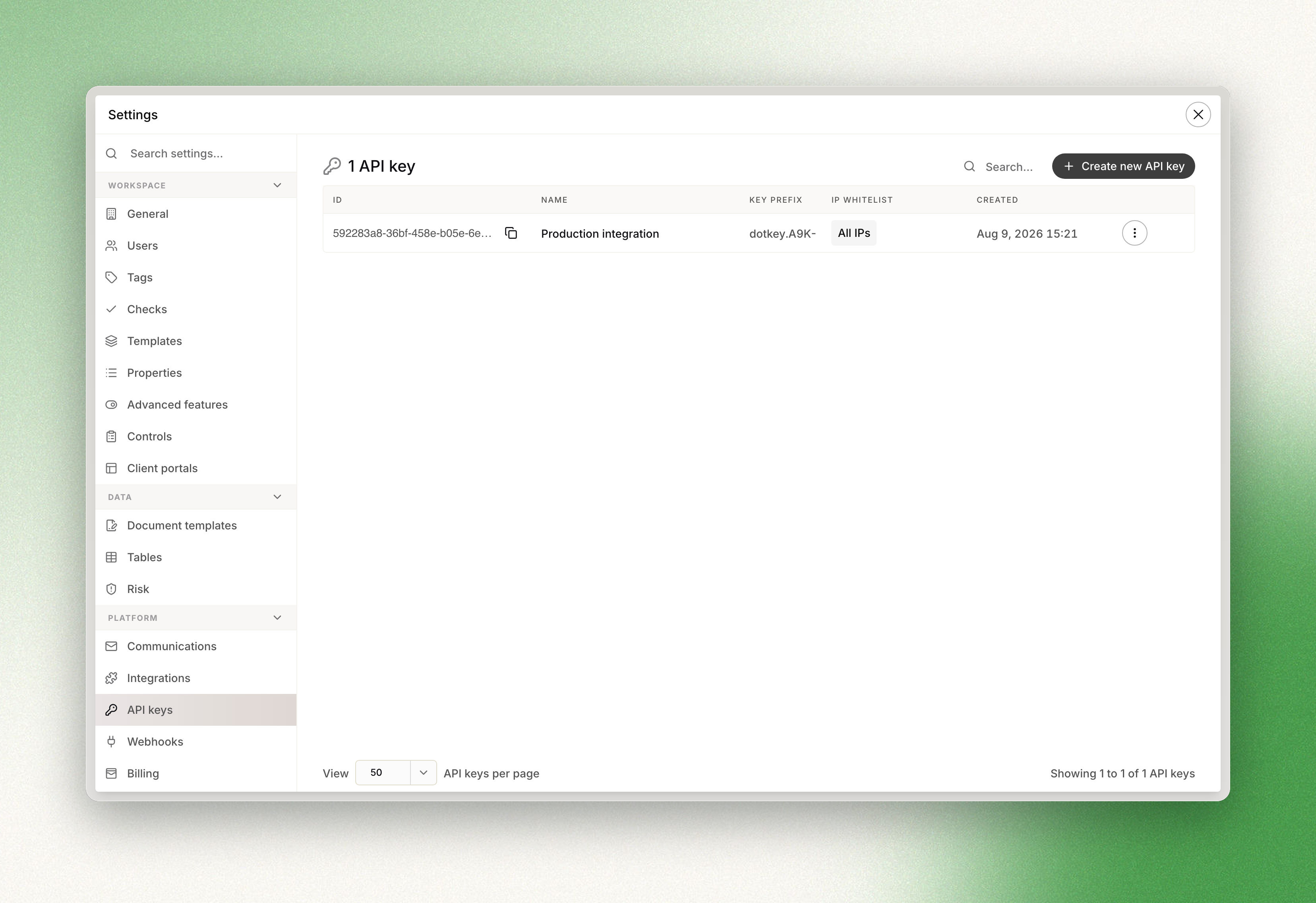
A key has the form dotkey.<secret>.<identifier>.
Storage and loss
The key is displayed once, at creation, and cannot be retrieved afterwards. Copy it into a password manager or secret manager at that moment.
After creation, the console shows only an 11-character hint — the dotkey. prefix and the first four characters of the secret — which is enough to tell keys apart and to confirm which one is deployed where, without exposing any of them.
A lost key cannot be recovered, only replaced: generate a new key, deploy it, then revoke the old one. Revocation is immediate and affects that key alone. Every other key in the workspace, and all workspace data, are unaffected.
The same sequence applies to rotation. A key's secret cannot be changed in place — only its name and IP allowlist can be edited — so rotating means creating the replacement, cutting over, and revoking the previous key.
Treat the key as a production credential: it belongs in a secret manager, not in source control, client-side code, or a support ticket.
Restrict a key to your IPs
Each key carries an optional IP allowlist, edited alongside the key in workspace settings. Entries are single addresses or CIDR ranges, IPv4 or IPv6.
An empty allowlist accepts requests from any address, which is the default. Once the list is populated, a request from any other address returns 403. Clearing the list restores unrestricted access.