
Dotfile is a hybrid system. A verification process runs through four stages, and at each one you
choose between the API and the console — for the whole workspace, per team, or per case. Nothing
forces the same choice twice.
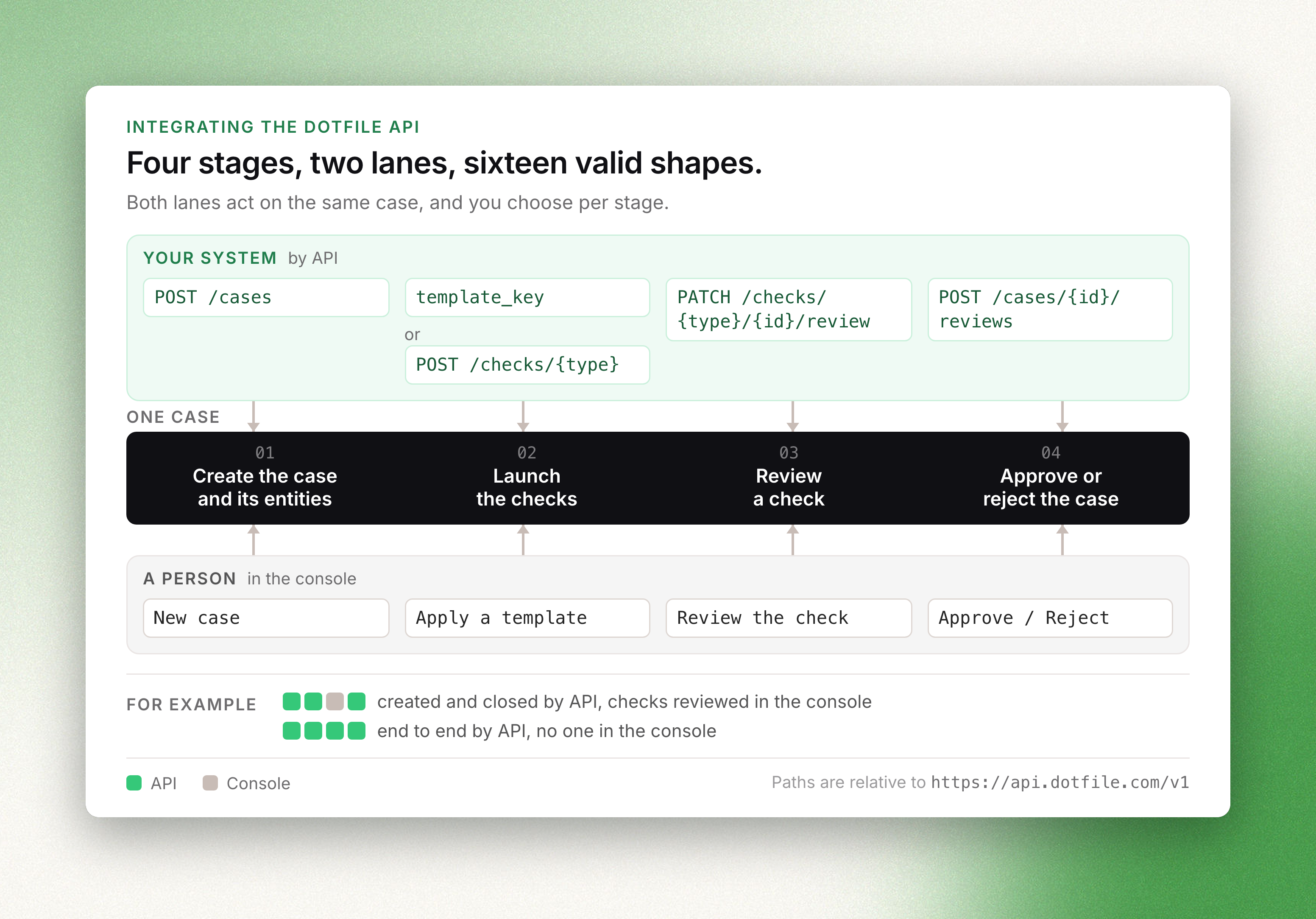
The four stages
Both columns act on the same case, so the four choices are independent of each other.
| Stage | By API | In the console |
|---|---|---|
| Create the case and its entities | POST /v1/cases — one call carries the company, the companies attached to it, the individuals and the relations between them | A user adds a company, and Dotfile prefills it from the registry |
| Launch the checks | template_key on the case, Run a template later, or POST /v1/checks/{type} for a single one | Apply a template, or add one check to one entity from its page |
| Review a check the provider could not decide | PATCH /v1/checks/{type}/{id}/review with {"action": "approve"} or "reject"; the reviewer is recorded as api | The document, the extracted fields and the screening hits, laid out for the person deciding |
| Approve or reject the case | POST /v1/cases/{id}/reviews, or auto-approval once every check the template created is approved | A reviewer closes the case from the case page |
Mix them freely: a case created by API can be closed in the console, and the other way round.
Creating cases from your product while your compliance team works in the console is the most
common shape, and a first-class one — not a fallback.
Stage 3 is the one worth a thought. The API records a verdict; what the console adds is the
evidence for it — a blurred document next to the extracted fields, a partial sanctions match
next to the identity it partially matched. Check.ReviewNeeded is what tells you a judgement is
needed at all.
Integration guides
- Start KYB process — a company, its ownership chain, and the checks on both
- Start KYC process — one individual, no registry step
Before you build
- Authentication — the
X-DOTFILE-API-KEYheader - Webhooks — how results reach you without polling
- Errors and rate limits — what the API returns when a call fails, and the limits
- Filtering, sorting and pagination — every list endpoint
- API release changes — how changes to the API are announced