An id_verification check requires the individual to complete a verification session with a
provider, presenting both an identity document and their face to a camera. It targets an
individual only.
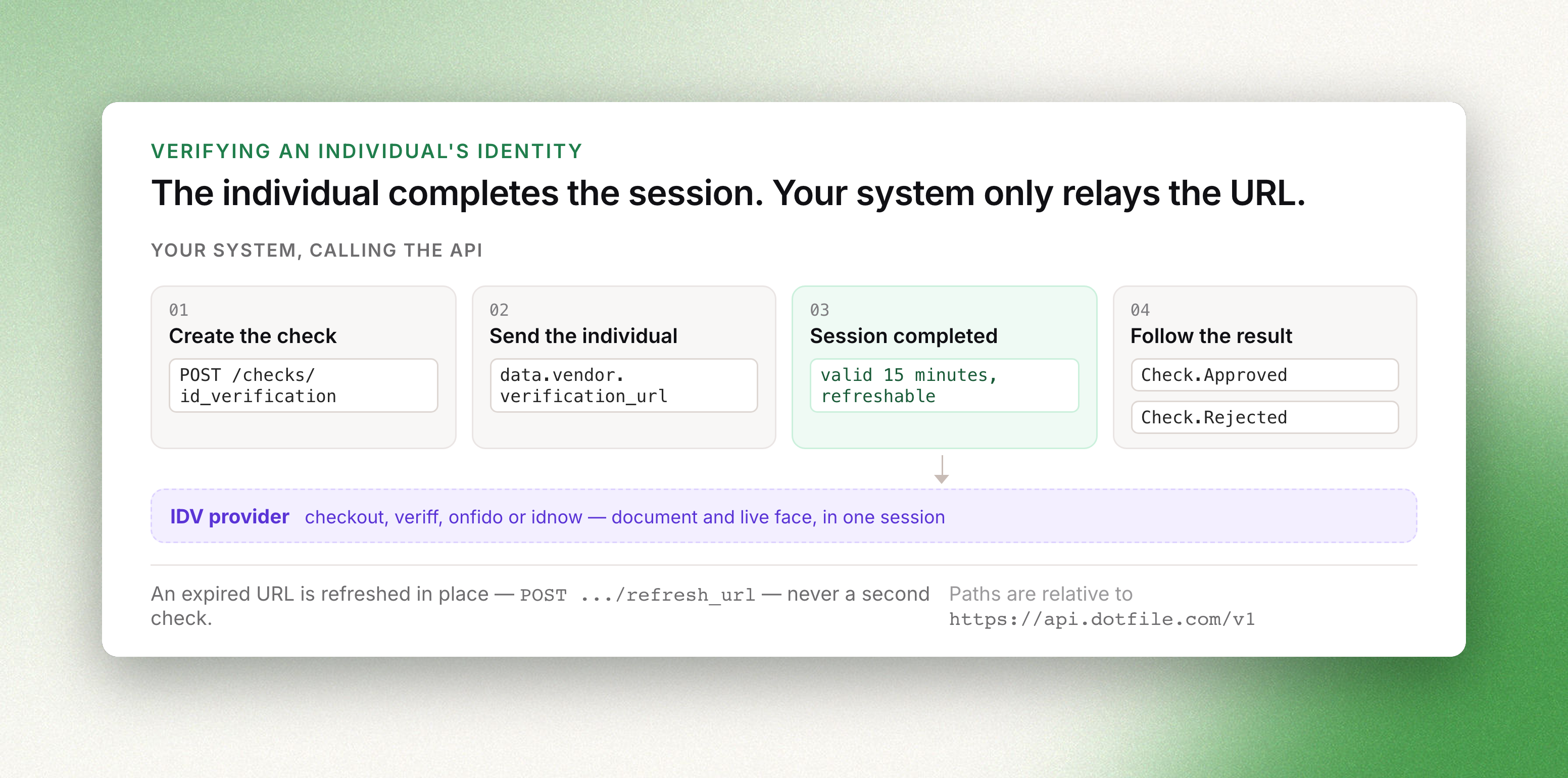
The check is driven by a verification URL returned at creation, which the individual must open.
To submit document images directly, without a session completed by the individual, use
ID Document instead. The shared envelope, the status model and the
general review mechanism are described in The Check object.
Creating a check
POST /v1/checks/id_verification requires an individual_id. settings is optional.
curl -X POST https://api.dotfile.com/v1/checks/id_verification \
  -H "X-DOTFILE-API-KEY: $DOTFILE_API_KEY" \
  -H "Content-Type: application/json" \
  -d '{
    "individual_id": "4b36ce30-3d90-421a-b2d9-a046e5e4cfef",
    "settings": {
      "automatic_approval": true,
      "automatic_rejection": true,
      "redirect_url": "https://your-app.example.com/onboarding/done"
    }
  }'
The response contains the verification URL. No further request is required to obtain it.
Settings
| Field | Type | Default | Description |
|---|---|---|---|
vendor | enum | checkout | checkout, veriff, onfido or idnow |
mode | enum | auto | The session type, constrained by the vendor. See below |
automatic_approval | boolean | true | Record the provider's approval without manual confirmation |
automatic_rejection | boolean | true | Record the provider's rejection without manual confirmation |
redirect_url | string | https://dotfile.com | Where the individual is sent once the session ends |
Each field resolves independently, in order: request, then workspace settings, then the API
default. Workspace-level values are set in the console, described in
Liveness ID verification check.
Modes are vendor-specific:
| Vendor | mode | Session |
|---|---|---|
checkout | auto | VideoAuto, automated review |
checkout | expert | VideoExpert (v2), systematic human review |
checkout | certified | VideoCertified, PVID certified |
idnow | certified | VideoIdent, BaFin-compliant live agent |
veriff | default | the vendor's single session type |
onfido | default | the vendor's single session type |
A mode the selected vendor does not offer is replaced by that vendor's first available mode
rather than rejected, so the effective value is data.settings.mode in the response. The ubble
vendor is deprecated: outside workspaces on the legacy configuration, a request specifying it is
served by checkout.
The verification URL
data.vendor.verification_url is the address the individual must open. It is valid for 15
minutes.
An expired URL is replaced in place rather than by creating a second check:
curl -X POST https://api.dotfile.com/v1/checks/id_verification/$CHECK_ID/refresh_url \
  -H "X-DOTFILE-API-KEY: $DOTFILE_API_KEY"
The response is the check, carrying a new data.vendor.verification_url valid for a further 15
minutes.
With the onfido vendor, data.vendor.sdk_token is also populated, for embedding the provider
SDK in a front-end instead of redirecting.
Status
| Condition | Status |
|---|---|
| created, session not yet started | in_progress |
| session completed, provider processing | processing |
| session abandoned or interrupted | in_progress |
provider approved, automatic_approval is true | approved |
provider rejected, automatic_rejection is true | rejected |
provider returned no result or an error, or the corresponding automatic setting is false | need_review |
A check returned to in_progress after an interrupted session accepts a refreshed URL and a new
attempt. automatic_rejection is disregarded when the two preceding attempts on the same check
were both rejected automatically by the system: the check is set to need_review instead.
Reading the result
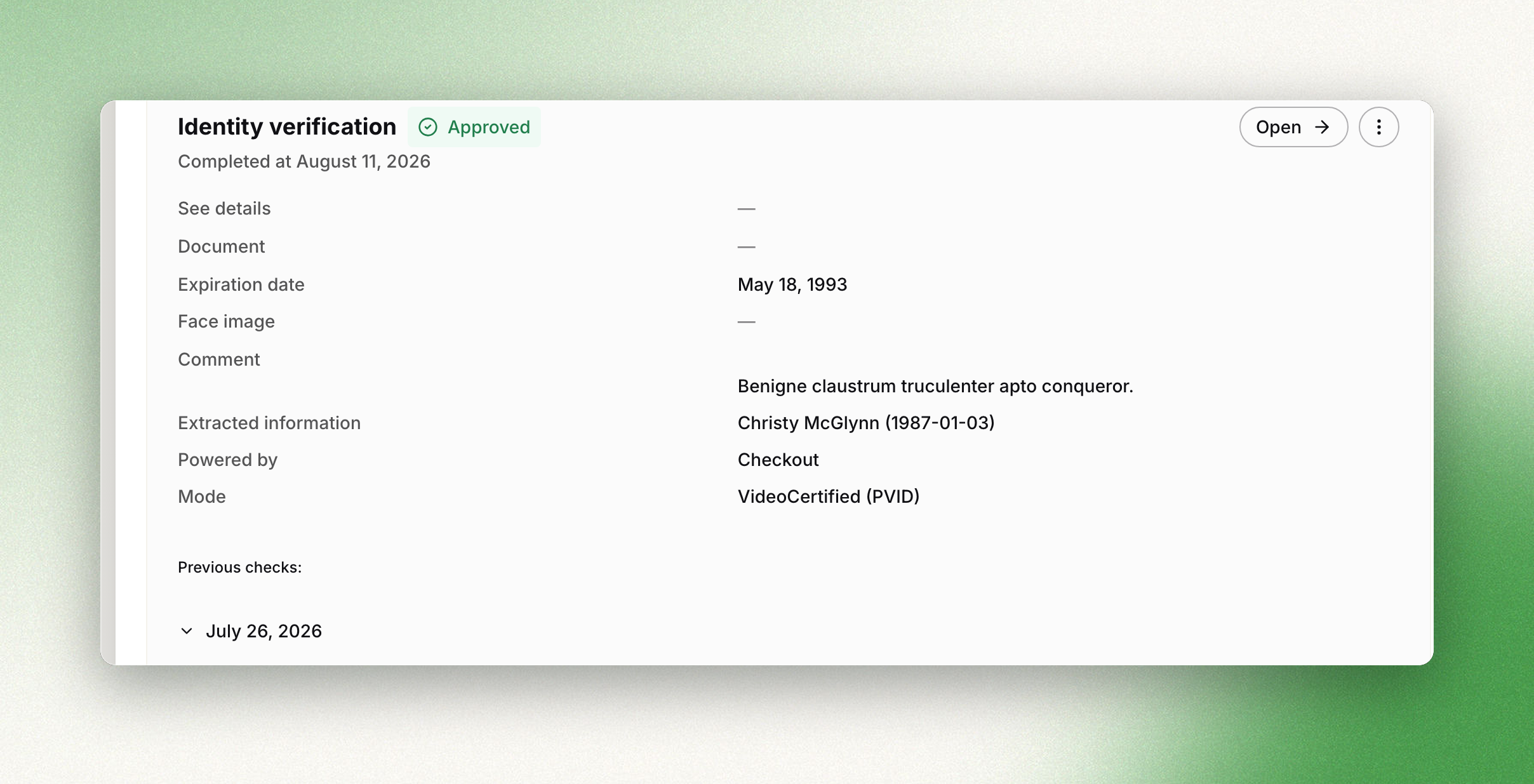
data.result is approved, rejected, error or null. The evidence is returned on three
objects.
data.information holds the extracted data and the session metadata:
| Field | Description |
|---|---|
document_type | passport, identity_card, driving_license, residence_permit, visa or other |
document_number, mrz | as printed on and encoded in the document |
first_name, last_name, gender, nationality | identity fields |
birth_date, birth_place, birth_country | identity fields. birth_place is a city name, in the air or at sea |
issuing_date, issuing_country, expiration_date | document validity |
ip_address | the device used to complete the session |
front_file_id, back_file_id, face_file_id, video_file_id, signature_file_id | identifiers for Download a file. signature_file_id is populated for document types carrying a signature page |
data.vendor holds name, verification_ref, verification_status, started_at,
ended_at, comment with the provider's reason on a rejection, and report_file_id when the
provider issues a report.
data.detailed_results holds the control-point breakdown, split across two objects:
| Object | Control points |
|---|---|
document | data_validation, data_consistency, data_comparison, image_integrity, visual_authenticity, compromised_document |
face | face_comparison, image_integrity, visual_authenticity |
Each is approved, rejected, error or null; a control point the provider did not evaluate
remains null.
detailed_resultsis marked deprecated in the schema. It remains the only structured breakdown
exposed by the API; the analysis-result model that replaces it is not yet public.
What each control point examines, and the document coverage per vendor, are described in
Liveness ID verification check.
Reviewing the check
curl -X PATCH https://api.dotfile.com/v1/checks/id_verification/$CHECK_ID/review \
  -H "X-DOTFILE-API-KEY: $DOTFILE_API_KEY" \
  -H "Content-Type: application/json" \
  -d '{"action": "reject", "comment": "Face comparison inconclusive on both attempts"}'
action is approve or reject, comment is optional, and override set to true changes a
decision already recorded. review.reviewer_type is set to api; automatic transitions record
system.
Following the check
The session may be completed long after the check is created. Subscribe to Check.Started,
Check.ReviewNeeded, Check.Approved and Check.Rejected rather than polling. See
Webhooks.