
A check is one verification run against one entity of a case — a company or an individual.
Checks are what a case is made of: the entities describe who you are onboarding, the checks
establish what you know about them.
Every check carries the same envelope, whatever its type: an id, the company_id or
individual_id it targets, a type, a status, and the type-specific data under its own key.
So a client can follow any check without knowing which vendor produced it.
The nine check types
| Type | Targets | Verifies |
|---|---|---|
id_verification | individual | identity, from a document and a live face |
id_document | individual | an identity document and the data extracted from it |
aml | individual, company | sanctions, PEP and adverse-media screening, with ongoing monitoring |
document | individual, company | a document you asked for, by document type |
ekyc | individual | an email and a phone number, and the fraud signals around them |
electronic_signature | individual | a signature on a document template |
fraud_database | individual, company | a match against shared fraud databases |
online_reputation | company | what the open web says about the business |
company_monitoring | company | registry changes after onboarding, as they happen |
company_monitoring is the one type with no create endpoint: it is configured on the workspace
and read over the API. Each type above has its own object page, covering what it accepts, what it
returns and how it is reviewed.
Two fields carry a type-specific detail worth knowing:
subtypeholdsdocument_type:{key}on adocumentcheck and
document_template:{key}on anelectronic_signaturecheck. It isnullon every other type.is_internalmarks a check your team runs on its own material rather than one the customer
is asked to satisfy.
Creating a check
Three routes, and the third is the one to build on:
- A template. Attach one to the case —
template_keyat creation, or
Run a template later — and the checks it configures are created for you,
including on entities added afterwards. This is how a verification policy stays a policy
instead of a series of calls. - The API, one check at a time.
POST /v1/checks/{type}against acompany_idor an
individual_id, for the case a template does not cover. - The console, from an entity's page.
Status
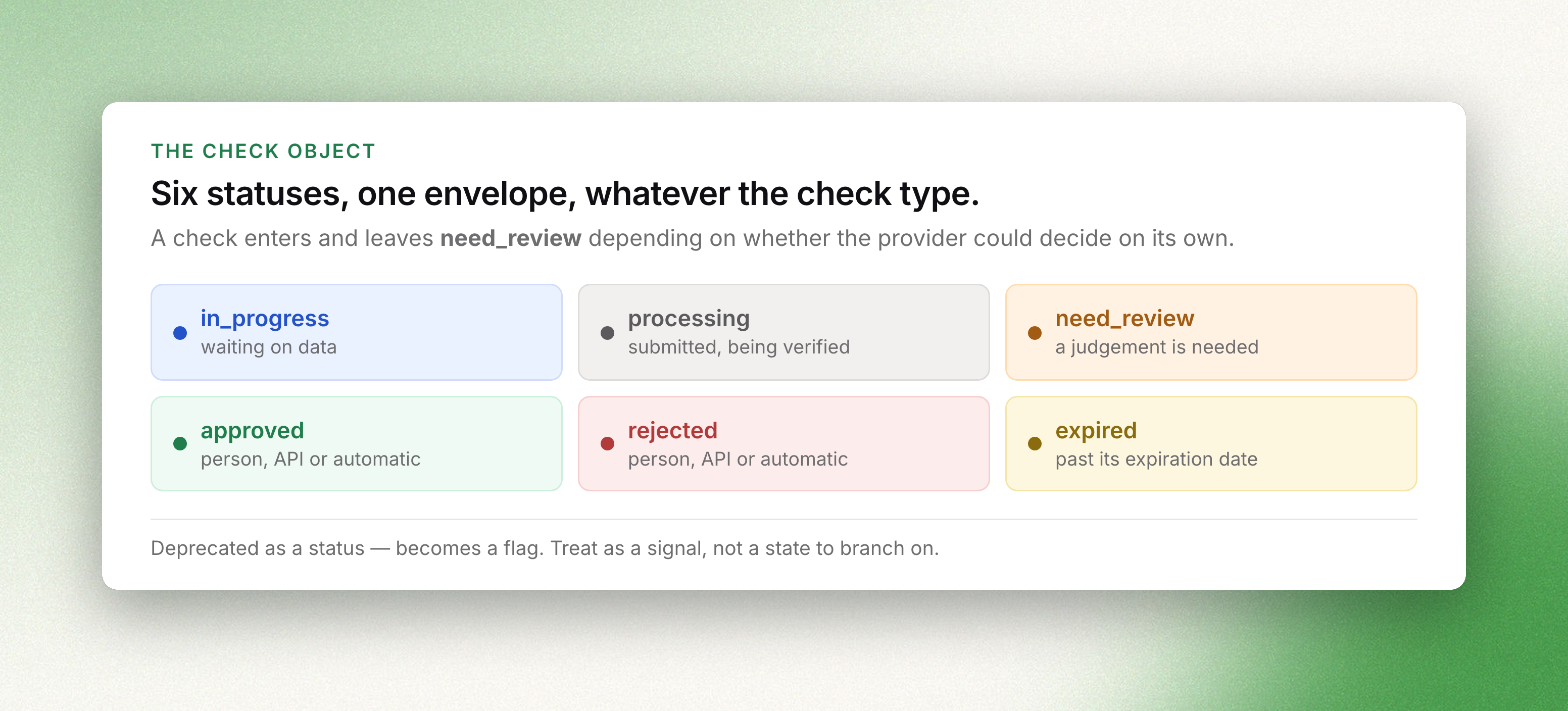
| Status | What it means |
|---|---|
in_progress | waiting on data — from your API calls, the client portal, or the console |
processing | the data was submitted and is being verified |
need_review | the provider could not decide on its own; a judgement is needed |
approved | approved, by a person, by the API, or automatically |
rejected | rejected, the same three ways |
expired | past its expiration date |
expired is deprecated as a status and will become a flag, so treat it as a signal rather
than a state to branch on.
Reviewing a check
need_review is the status that asks something of you. A blurred document, a name that partially
matches a sanctions list: the provider returned evidence, not a verdict.
That verdict can be recorded either way. In the console, where the document, the extracted fields
and the screening hits are laid out side by side. Or over the API, on the check's own path:
curl -X PATCH https://api.dotfile.com/v1/checks/id_document/$CHECK_ID/review \
  -H "X-DOTFILE-API-KEY: $DOTFILE_API_KEY" \
  -H "Content-Type: application/json" \
  -d '{"action": "approve", "comment": "Second submission is legible"}'
action is approve or reject, comment is optional, and override: true changes a decision
already made. The reviewer is recorded as api, so an audit trail always says who — or what —
decided. AML hits can be reviewed one at a time through checks/aml/{id}/hits/review, and a
document or id_document check stuck in processing can be pushed to review with
POST /v1/checks/{type}/{id}/force_review.
Following checks without polling
Subscribe to Check.Started, Check.ReviewNeeded, Check.Approved, Check.Rejected and
Check.Expired — see Webhooks. Reading works too:
Retrieve a case returns every company and individual with their checks
embedded, which is one call for the state of an entire process.