
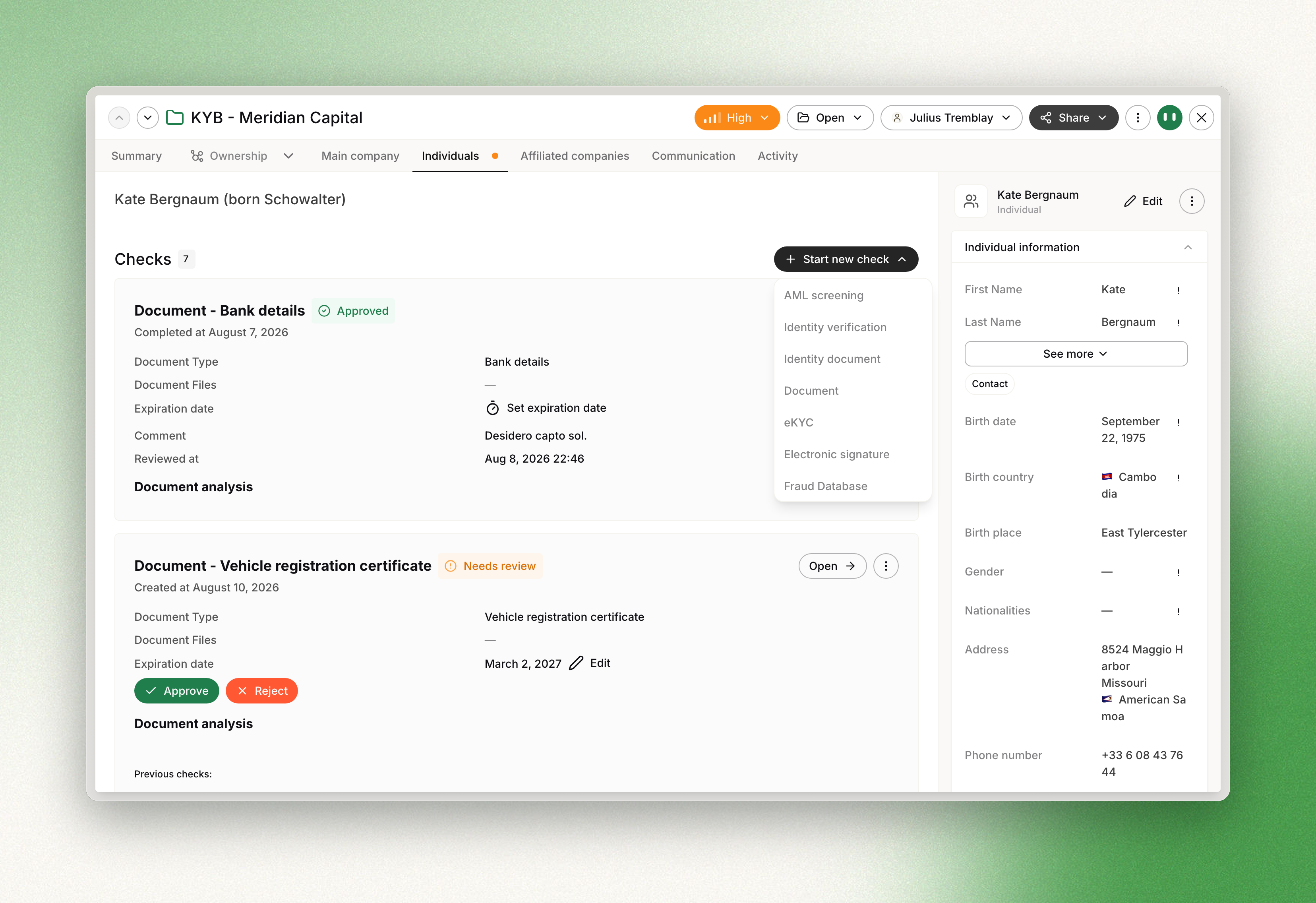
An aml check screens one entity of a case — a company or an individual — against sanctions,
politically exposed person, watchlist and adverse-media data, and optionally re-screens it after
onboarding.
The screening returns hits: candidate matches, each of which must be resolved individually
before the check itself can be reviewed. The shared envelope, the status model and the general
review mechanism are described in The Check object.
The check object
data carries the screening and its outcome.
| Field | Type | Description |
|---|---|---|
result | enum, nullable | approved, rejected or error. null until the check is reviewed |
match_status | enum | no_match, potential_match, false_positive or true_positive |
hits | array | the candidate matches, each with its own status and review |
hits_list_types | array | the union of list_types across all hits |
settings | object | the screening configuration applied, discriminated by settings.vendor |
vendor | object | the provider record, discriminated by vendor.name |
review | object | comment, reviewed_at, reviewer_type, user |
settings and vendor are polymorphic. The discriminator takes one of comply_advantage,
comply_advantage_mesh or worldcheck, and determines which fields are present:
| Discriminator | settings fields | vendor fields |
|---|---|---|
comply_advantage | fuzziness, exact_match, list_types, profile_id, enable_entity_filter | search_url, search_id, search_ref |
comply_advantage_mesh | none beyond vendor | customer_id |
worldcheck | is_media_check_enabled | case_url, results_count |
All three also expose vendor.is_search_monitored and vendor.created_at.
Creating a check
Send POST /v1/checks/aml with either a company_id or an individual_id. settings is
optional and falls back to the workspace configuration.
curl -X POST https://api.dotfile.com/v1/checks/aml \
  -H "X-DOTFILE-API-KEY: $DOTFILE_API_KEY" \
  -H "Content-Type: application/json" \
  -d '{
    "individual_id": "4b36ce30-3d90-421a-b2d9-a046e5e4cfef",
    "settings": {
      "fuzziness": 0.4,
      "list_types": ["sanction", "warning"],
      "enable_entity_filter": true
    }
  }'
A template attached to the case creates aml checks on the entities its rules cover. See
Templates.
Screening settings
| Field | Type | Description |
|---|---|---|
fuzziness | float, 0 to 1 | Tolerance for spelling and phonetic variation. 0 retains standard matching behaviours; 1 matches on the slightest resemblance |
exact_match | boolean | Disables all standard and optional matching behaviours: honorifics, affixes, initials, glued names, name variations, equivalent names, extra words. Stricter than fuzziness: 0 |
list_types | array, minimum one item | One or more of sanction, warning, fitness_probity, pep, adverse_media. Values must be unique. adverse_media produces a high volume of potential matches |
enable_entity_filter | boolean | Restricts hits to the type of the entity screened. false broadens the search |
These four fields apply only to workspaces configured with the comply_advantage vendor. On a
worldcheck or comply_advantage_mesh workspace they are rejected with a 400, and the
screening uses the workspace configuration exclusively.
settings.profile_id appears in the response when the workspace uses a search profile. A search
profile overrides list_types and is configured by a Dotfile customer success manager, not
over the API.
Each field resolves in order: request, then workspace settings, then the API default.
Workspace-level values are set in the console, described in
AML screening configuration.
Status on creation
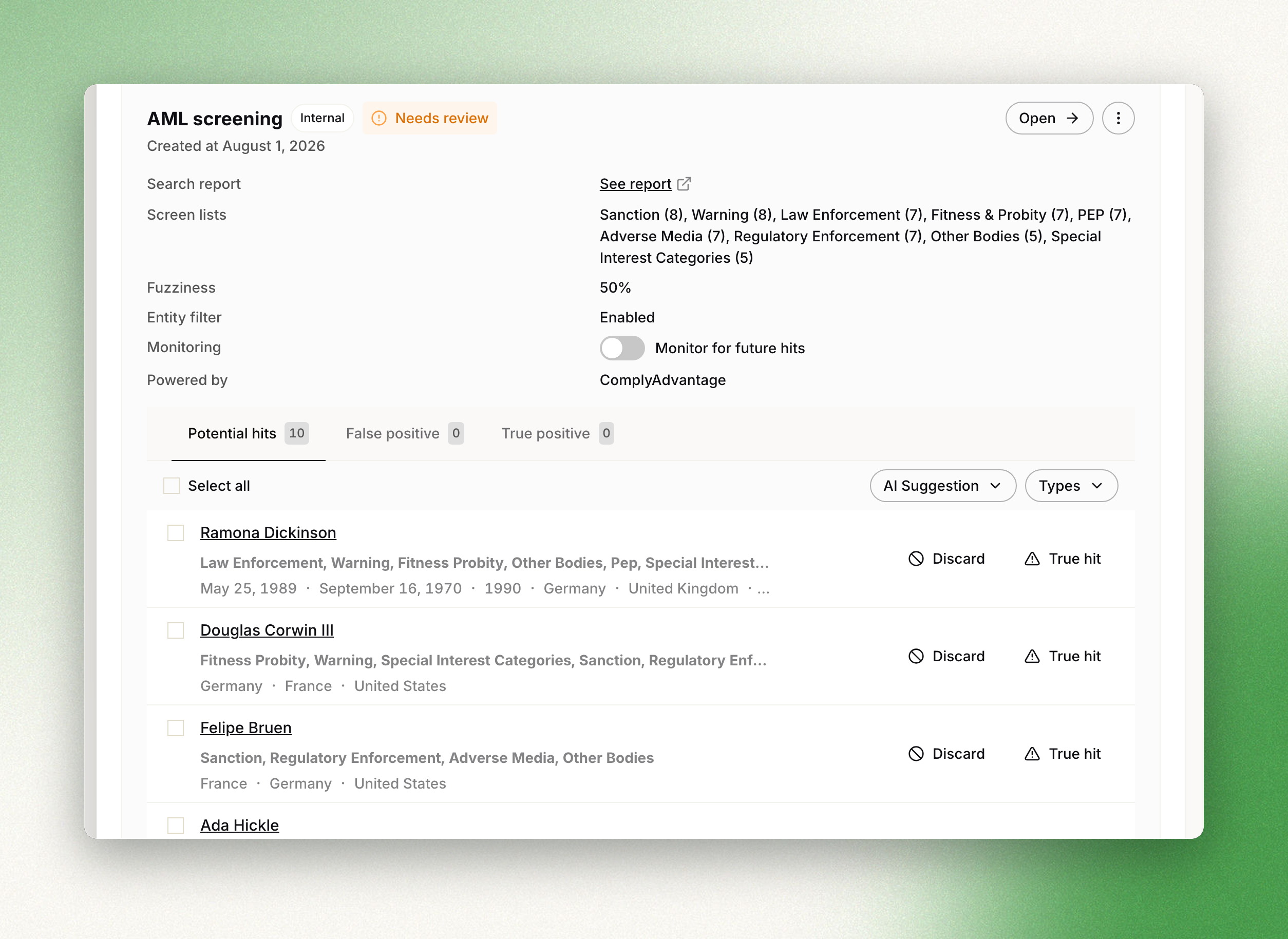
The check does not enter need_review unless the screening produced an unresolved match.
| Screening outcome | Status |
|---|---|
| no hit, or every hit resolved as a false positive automatically | approved |
at least one hit in potential_match | need_review |
at least one hit in potential_match, with the AML AI assistant enabled | processing, then need_review |
A check that transitions automatically records review.reviewer_type as system. The AML AI
assistant is documented in AML AI assistant.
Reviewing hits
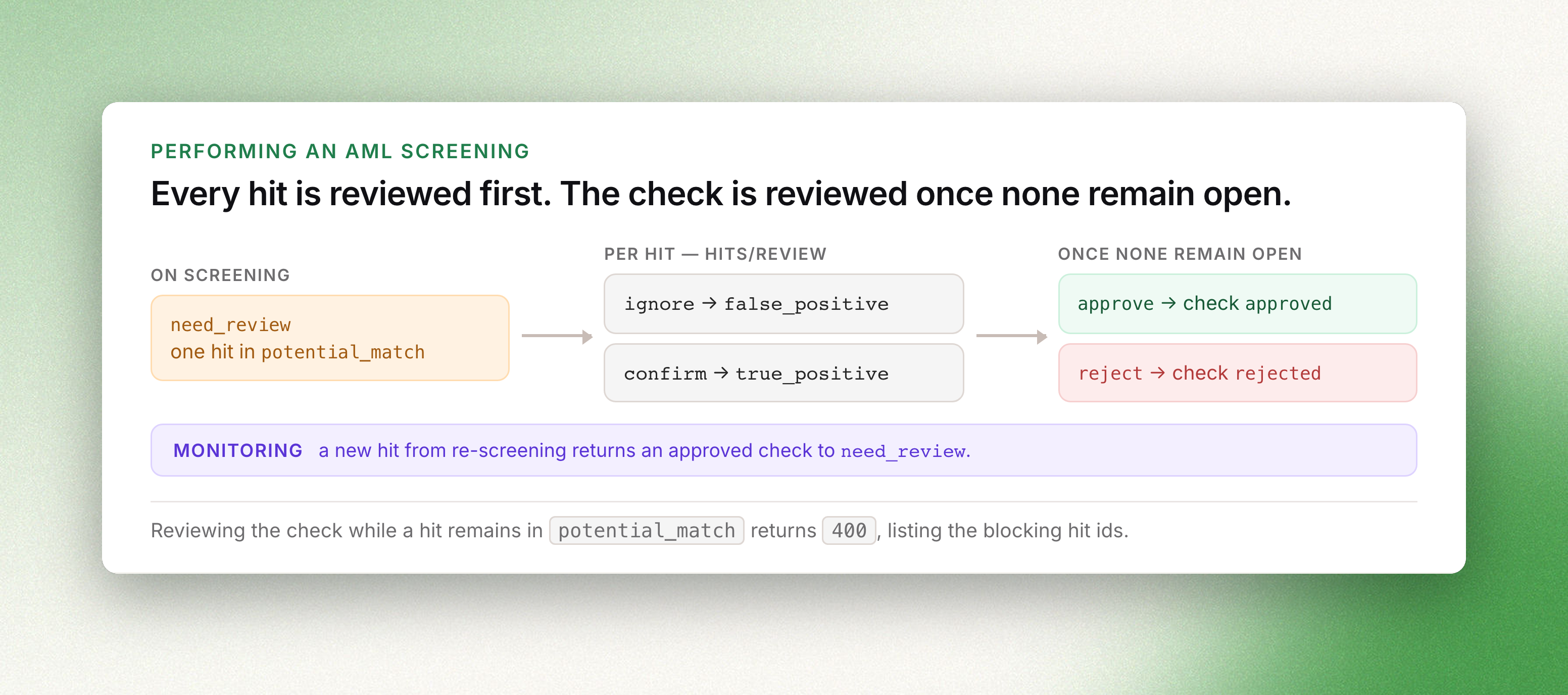
Every hit is created in potential_match and must be resolved to false_positive or
true_positive. PATCH /v1/checks/aml/{id}/hits/review accepts an array of hit_ids, a single
action applied to the whole batch, and an optional comment. A batch is limited to 100 hits.
curl -X PATCH https://api.dotfile.com/v1/checks/aml/$CHECK_ID/hits/review \
  -H "X-DOTFILE-API-KEY: $DOTFILE_API_KEY" \
  -H "Content-Type: application/json" \
  -d '{
    "hit_ids": [
      "4c9f8abe-671b-4461-a926-30b479e866e3",
      "9564c328-f33a-4529-b2a0-4c0f82edd19e"
    ],
    "action": "ignore",
    "comment": "Different date of birth and nationality"
  }'
action | Hit status |
|---|---|
ignore | false_positive |
confirm | true_positive |
The response is the refreshed check. data.match_status becomes false_positive once every hit
is ignored, and true_positive as soon as one hit is confirmed. Each reviewed hit records
review.reviewer_type as api.
Reviewing the check
PATCH /v1/checks/aml/{id}/review takes action set to approve or reject, an optional
comment, and override set to true to change a decision already recorded.
curl -X PATCH https://api.dotfile.com/v1/checks/aml/$CHECK_ID/review \
  -H "X-DOTFILE-API-KEY: $DOTFILE_API_KEY" \
  -H "Content-Type: application/json" \
  -d '{"action": "approve", "comment": "All hits are homonyms"}'
The request returns 400 while any hit remains in potential_match; the error lists the
identifiers of the blocking hits. A confirmed true_positive does not reject the check by
itself — the decision remains explicit.
review.reviewer_type is set to api. The same decision can be recorded in the console, where
the hit details and the provider record are displayed side by side.
Ongoing monitoring
Monitoring re-screens the entity as the underlying lists change. It is toggled per check:
curl -X PATCH https://api.dotfile.com/v1/checks/aml/$CHECK_ID/monitoring \
  -H "X-DOTFILE-API-KEY: $DOTFILE_API_KEY" \
  -H "Content-Type: application/json" \
  -d '{"is_monitored": true}'
The current state is exposed as data.vendor.is_search_monitored.
A re-screening that produces a new potential match returns the check to need_review and emits
Check.ReviewNeeded, the same event as on creation. A re-screening that comes back clean returns
the check to approved. Hits affected by monitoring carry two additional fields:
| Field | Values |
|---|---|
vendor.updated_by_monitoring_status | new, updated, removed, or null |
vendor.updated_by_monitoring_at | timestamp, or null |
Endpoints
- Create an AML check
- Retrieve an AML check
- Review AML hits
- Review an AML check
- Update an AML check monitoring
- List all checks, filtered on
type=amlandstatus - Webhooks for
Check.ReviewNeededand the other check events - AML screening for the product documentation