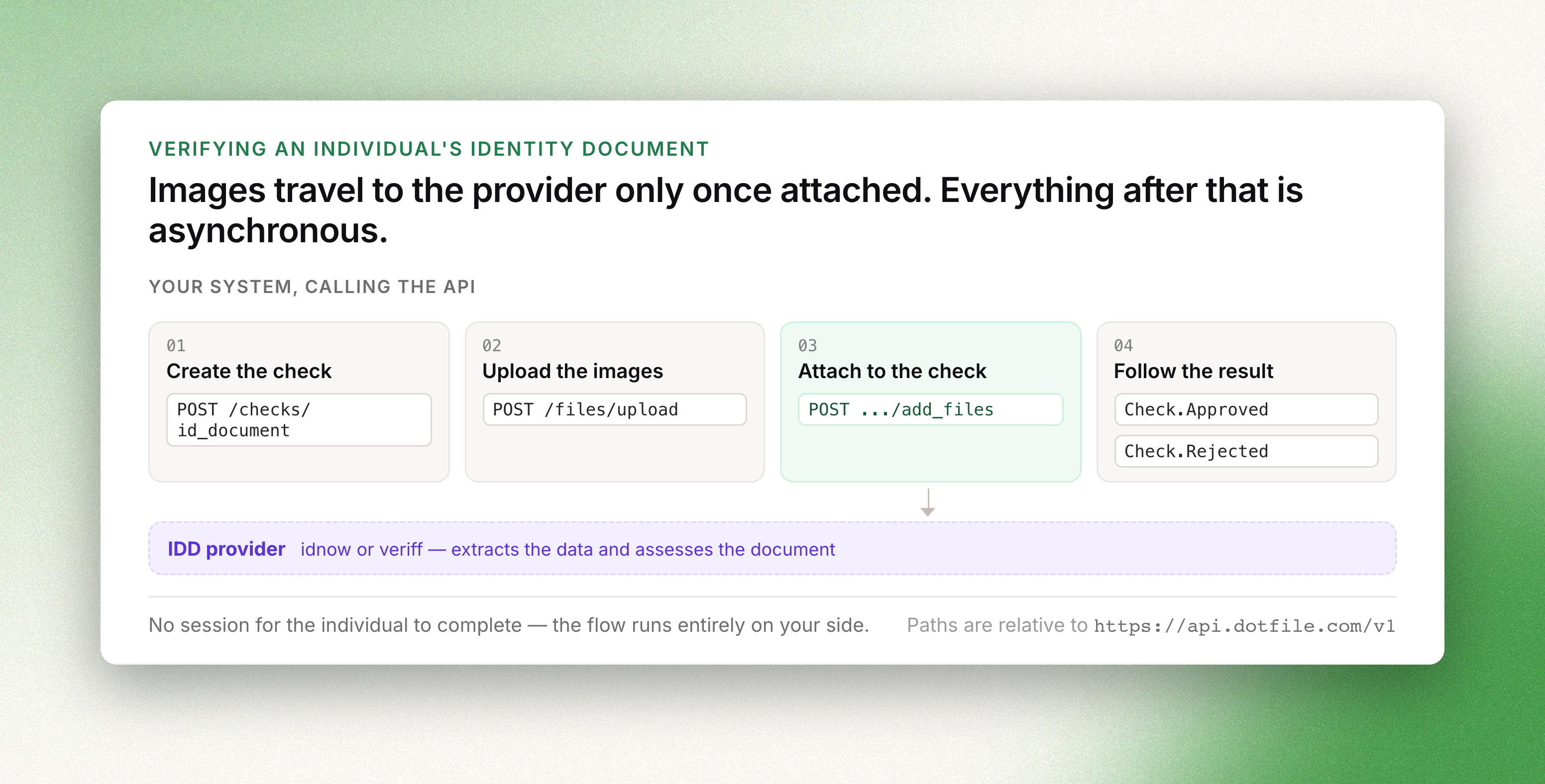
An id_document check submits images of a government-issued identity document to a provider,
which extracts the data they carry and assesses the document itself. It targets an individual
only.
The images are supplied through the API; the check involves no flow completed by the end user. To
have the individual present their document and their face on video, use
ID Verification instead. The shared envelope, the status model
and the general review mechanism are described in The Check object.
Creating a check
POST /v1/checks/id_document requires an individual_id. Images are optional at creation.
curl -X POST https://api.dotfile.com/v1/checks/id_document \
  -H "X-DOTFILE-API-KEY: $DOTFILE_API_KEY" \
  -H "Content-Type: application/json" \
  -d '{
    "individual_id": "4b36ce30-3d90-421a-b2d9-a046e5e4cfef",
    "settings": {"automatic_approval": true, "automatic_rejection": true},
    "data": {
      "front_upload_ref": "'$FRONT_REF'",
      "back_upload_ref": "'$BACK_REF'"
    }
  }'
Created without data, the check is in_progress and waits for images from
Add files, from the client portal, or from the console. Within data,
front_upload_ref is required and back_upload_ref is optional, defaulting to null.
Settings
| Field | Type | Default | Description |
|---|---|---|---|
vendor | enum | idnow | idnow or veriff |
automatic_approval | boolean | true | Record the provider's approval without manual confirmation |
automatic_rejection | boolean | true | Record the provider's rejection without manual confirmation |
Each field resolves independently, in order: request, then workspace settings, then the API
default. A request setting automatic_approval alone leaves the workspace vendor in effect.
Workspace-level values are set in the console, described in
Automated ID document check.
File limits
Images are uploaded through Upload a file. The provider applies its own
limit in addition to the 20 MB accepted by the upload endpoint.
| Vendor | Limit |
|---|---|
idnow | 4 MB per file |
veriff | 17 MB per file, and the longer side of the image, including an image embedded in a PDF, must be under 1920 px |
A file exceeding the provider limit causes the submission to fail. The check is then resolved with
the comment "The uploaded file exceeds the maximum allowed size. Please upload a smaller file and
try again.", which is suitable for display to the end user. A submission refused for any other
reason carries "The uploaded document could not be processed. Please try again with a different
document."
Status
| Condition | Status |
|---|---|
| created without a front image | in_progress |
| images received and submitted to the provider | processing |
provider approved, automatic_approval is true | approved |
provider rejected, automatic_rejection is true | rejected |
provider approved but data comparison failed, automatic_rejection is true | rejected |
provider returned no result, or the corresponding automatic setting is false | need_review |
provider refused the submission, automatic_rejection is true | rejected, with the comment above |
provider refused the submission, automatic_rejection is false | need_review, with the comment above |
automatic_rejection is disregarded when the two preceding submissions on the same check were
both rejected automatically by the system: the check is set to need_review instead.
Reading the result
data.result is approved, rejected, error or null. The evidence is returned on three
objects.
data.information holds the extracted data:
| Field | Description |
|---|---|
document_type | passport, identity_card, driving_license, residence_permit, visa or other |
document_number | as printed on the document |
first_name, last_name, maiden_name, gender | identity fields |
nationality, birth_date, birth_country | identity fields |
issuing_date, issuing_country, expiration_date | document validity |
front_file_id, back_file_id | identifiers for Download a file |
data.vendor holds name, verification_ref, verification_group_ref,
verification_status, started_at, and comment, which carries the provider's reason on a
rejection.
data.detailed_results.document holds the control-point breakdown: data_validation,
data_consistency, data_comparison, image_integrity, visual_authenticity and
compromised_document. Each is approved, rejected, error or null; a control point the
provider did not evaluate remains null.
detailed_resultsis marked deprecated in the schema. It remains the only structured breakdown
exposed by the API; the analysis-result model that replaces it is not yet public.
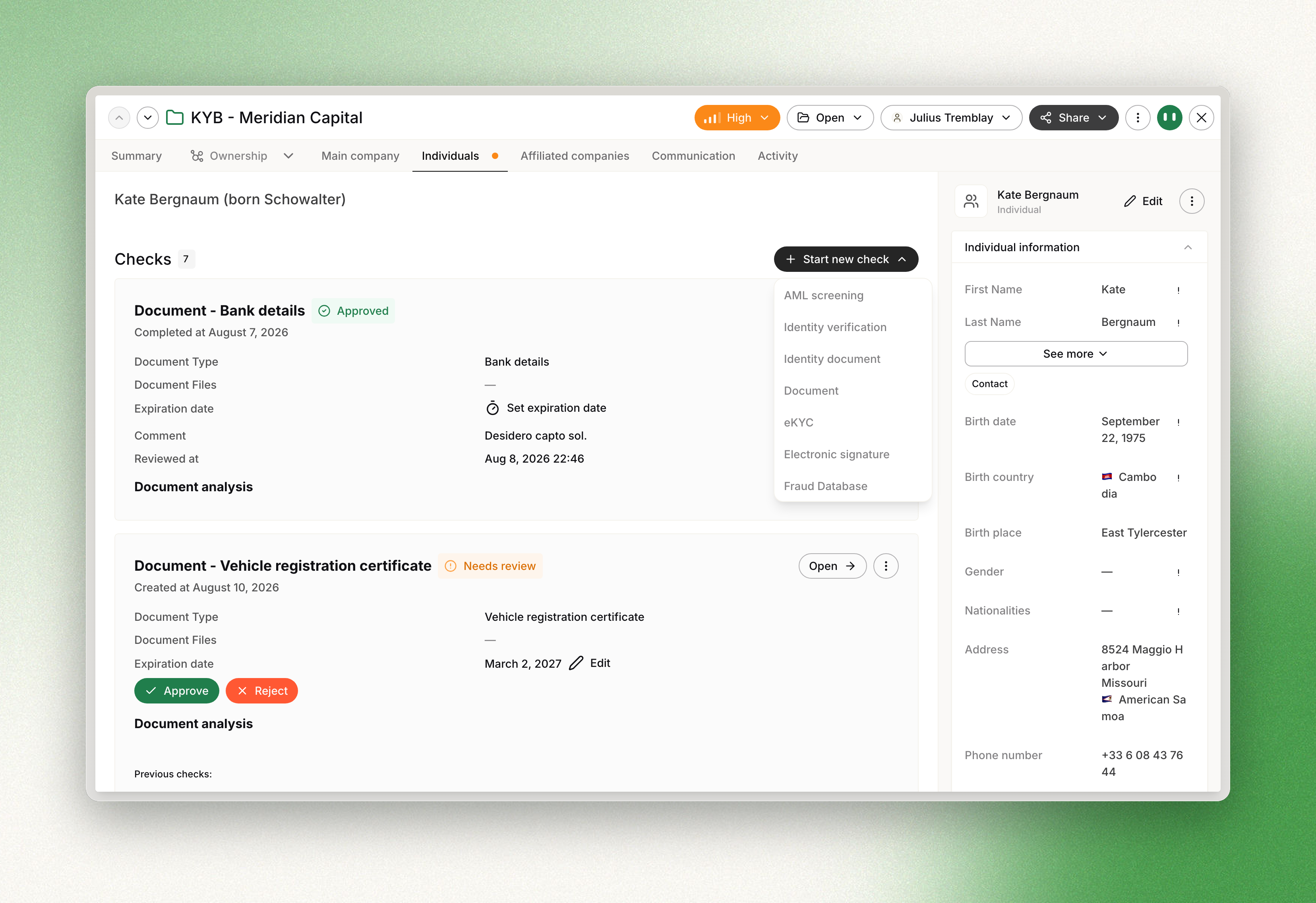
The console groups the same evidence under different headings — data comparison, expiration date,
specimen verification, ID acceptance and ID falsification — each described in
Automated ID document check.
Submitting new images
Add files is accepted only while the check is in_progress, rejected
or expired. Any other status returns 400.
curl -X POST https://api.dotfile.com/v1/checks/id_document/$CHECK_ID/add_files \
  -H "X-DOTFILE-API-KEY: $DOTFILE_API_KEY" \
  -H "Content-Type: application/json" \
  -d '{"front_upload_ref": "'$FRONT_REF'", "back_upload_ref": null}'
On an in_progress check the images are attached to the current attempt. On a rejected or
expired check a new attempt is opened, the previous one is moved to the check history, and
Check.Started is emitted again. The check identifier does not change.
A rejection caused by a mismatch between the document and the declared identity is resolved by
correcting the individual rather than by resubmitting the document. See
Recover from a data mismatch.
Reviewing the check
curl -X PATCH https://api.dotfile.com/v1/checks/id_document/$CHECK_ID/review \
  -H "X-DOTFILE-API-KEY: $DOTFILE_API_KEY" \
  -H "Content-Type: application/json" \
  -d '{"action": "approve", "comment": "Second submission is legible"}'
action is approve or reject, comment is optional, and override set to true changes a
decision already recorded. review.reviewer_type is set to api; automatic transitions record
system.
Following the check
Processing is asynchronous. Subscribe to Check.Started, Check.ReviewNeeded, Check.Approved
and Check.Rejected rather than polling. See Webhooks.