
Automated communications
The three events that trigger an automatic email to the business contact
The communication hub also sends automated emails to the business contact in three situations:
- A check is rejected: the email tells the business contact which check was rejected and why, and includes a link to redo the check.
- An additional check is requested: the email tells the business contact that, although they completed all the initial checks, an additional check is required before the application can be validated.
- Checks are still pending: the email reminds the business contact of the checks still pending, after a delay you set in the settings.
Configuring the automated communications
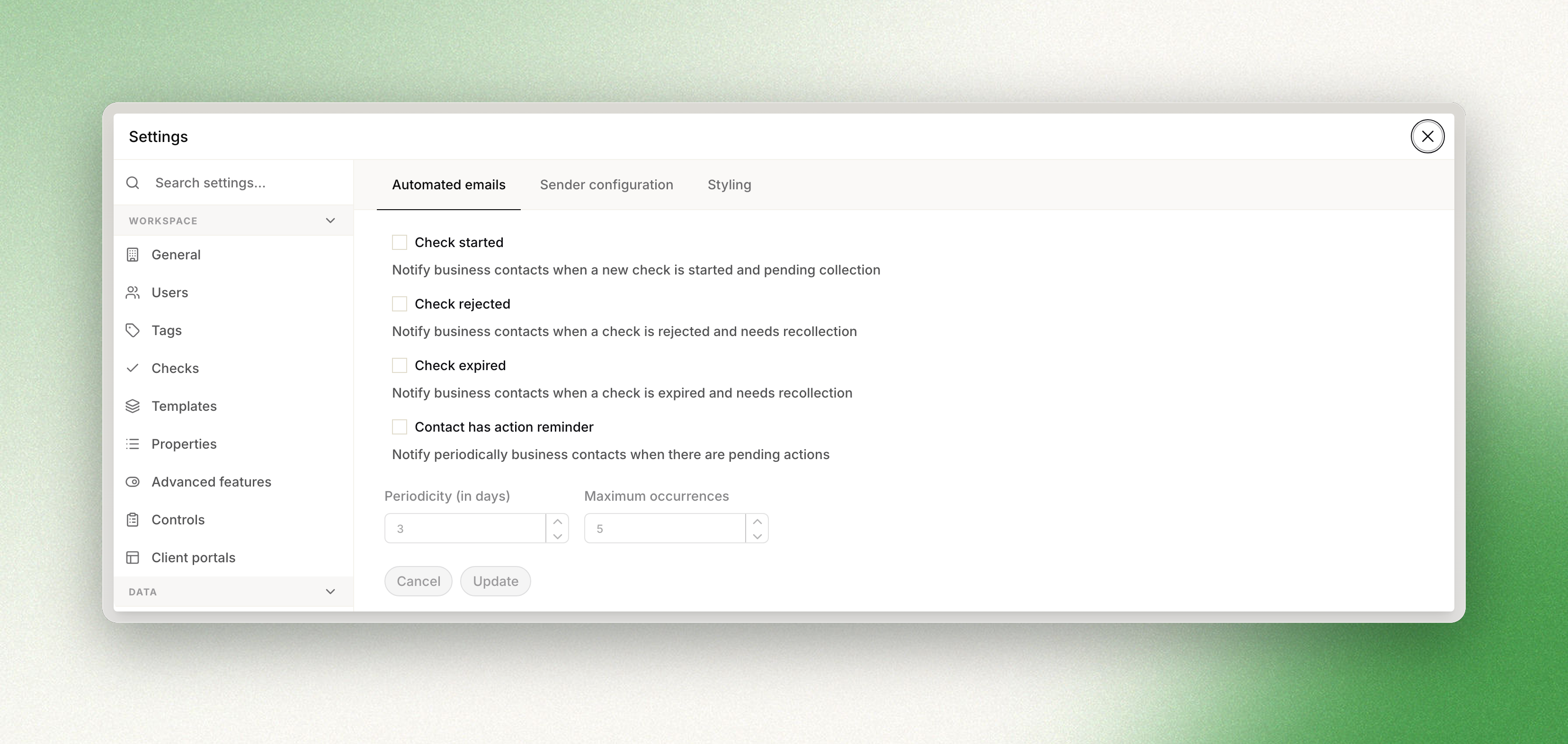
- Go to Settings and open Communications to reach the configuration page.
- Review the list of available events and choose the ones you want to notify your end users about.
- Set the periodicity (how often reminders are sent) and the number of occurrences (how many reminders are sent).
Updated 3 months ago
Did this page help you?