
Custom document types
Create document types that match your own procedures
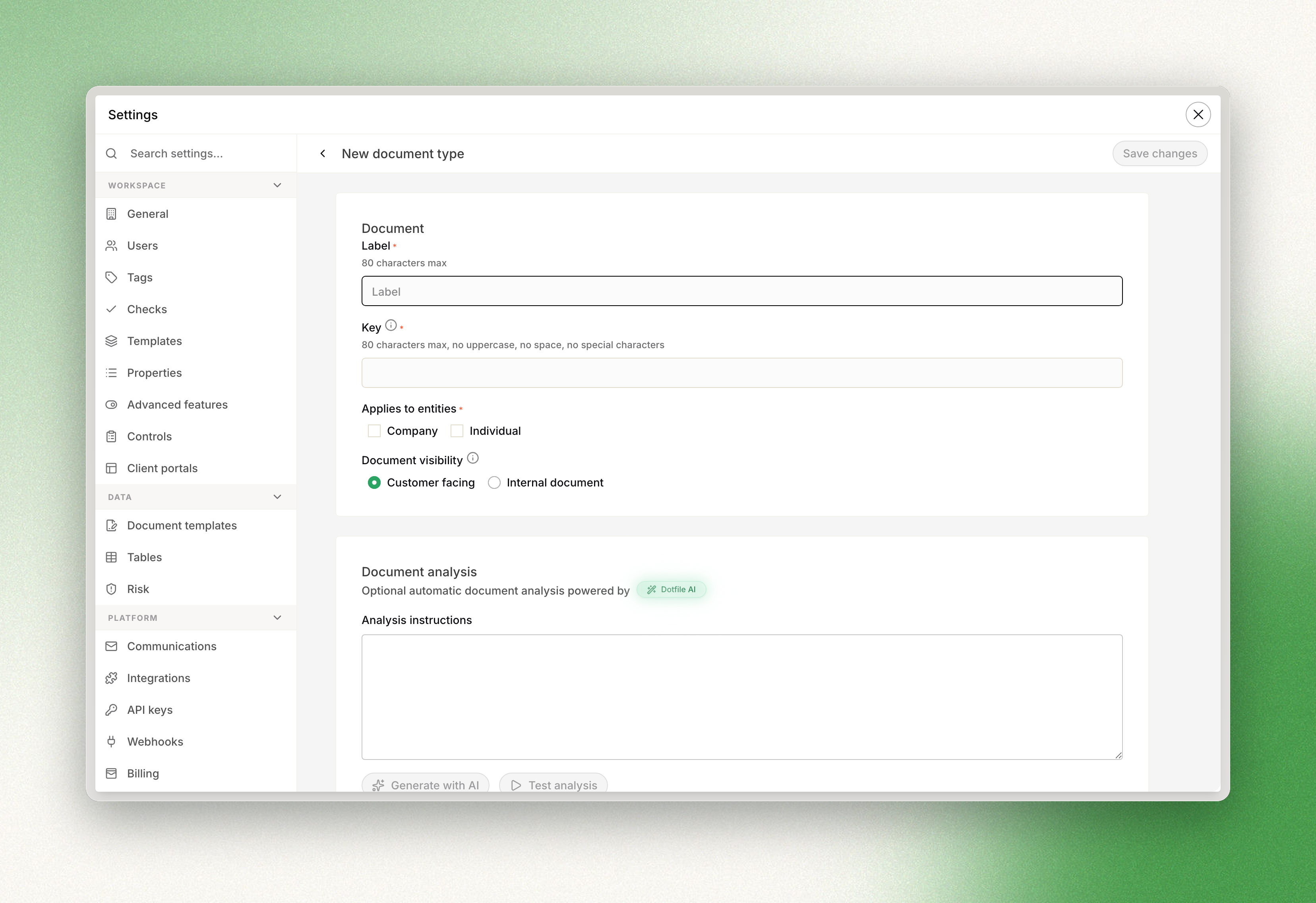
You can tailor document checks to your own procedures. To create a custom document type:
- In the menu, go to Settings > Checks (only admins have access to this section).
- Open the Document tab.
- Click Create new document type.
- Enter a title and select the entity types the document type applies to: company, individual or both.
The document type now appears among the available options when you create a document check.
Updated 3 months ago
Did this page help you?