
Document forensics
Detect tampering and forgery on uploaded documents, on top of the AI analysis
Introduction
Document forensics analyzes uploaded documents for signs of tampering and forgery, alongside Dotfile's AI and OCR data extraction and validation. It checks documents in over 500 ways:
- Template farms, generative AI, document reuse
- Metadata changes
- Pixel structure anomalies
- Digital manipulation detection
- Authenticity check of known digital PDFs
How it works
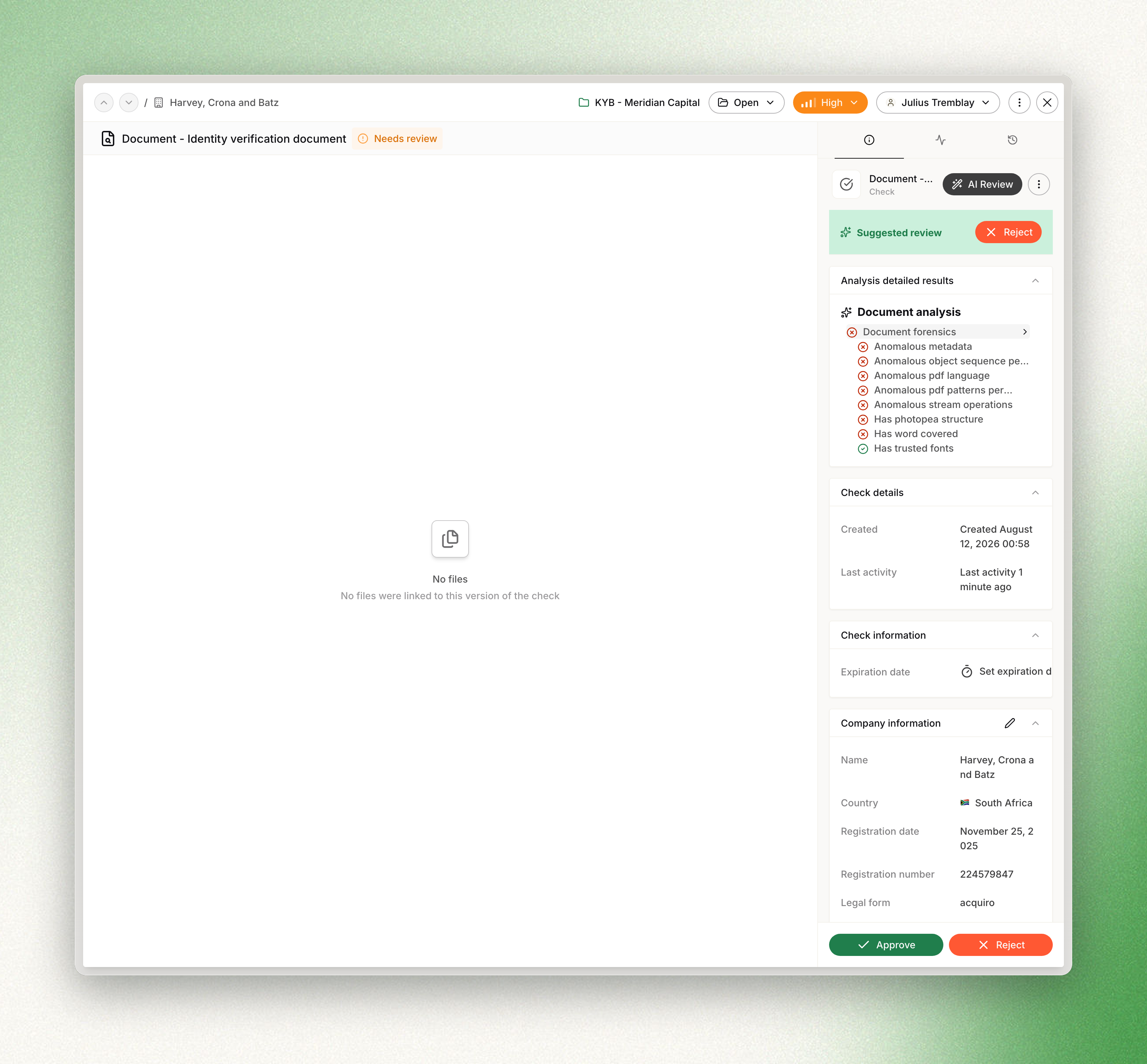
When a document is uploaded, Dotfile runs the forensic checks in addition to the standard analysis, and the result appears in the console as part of the document's analysis result.
If any forensics indicator flags a document as high risk, Dotfile overrides automatic approval and routes the check for manual review.
Enable document forensics
For native document types:
- Go to Settings > Dotfile AI.
- Enable document forensics for the document types you want.
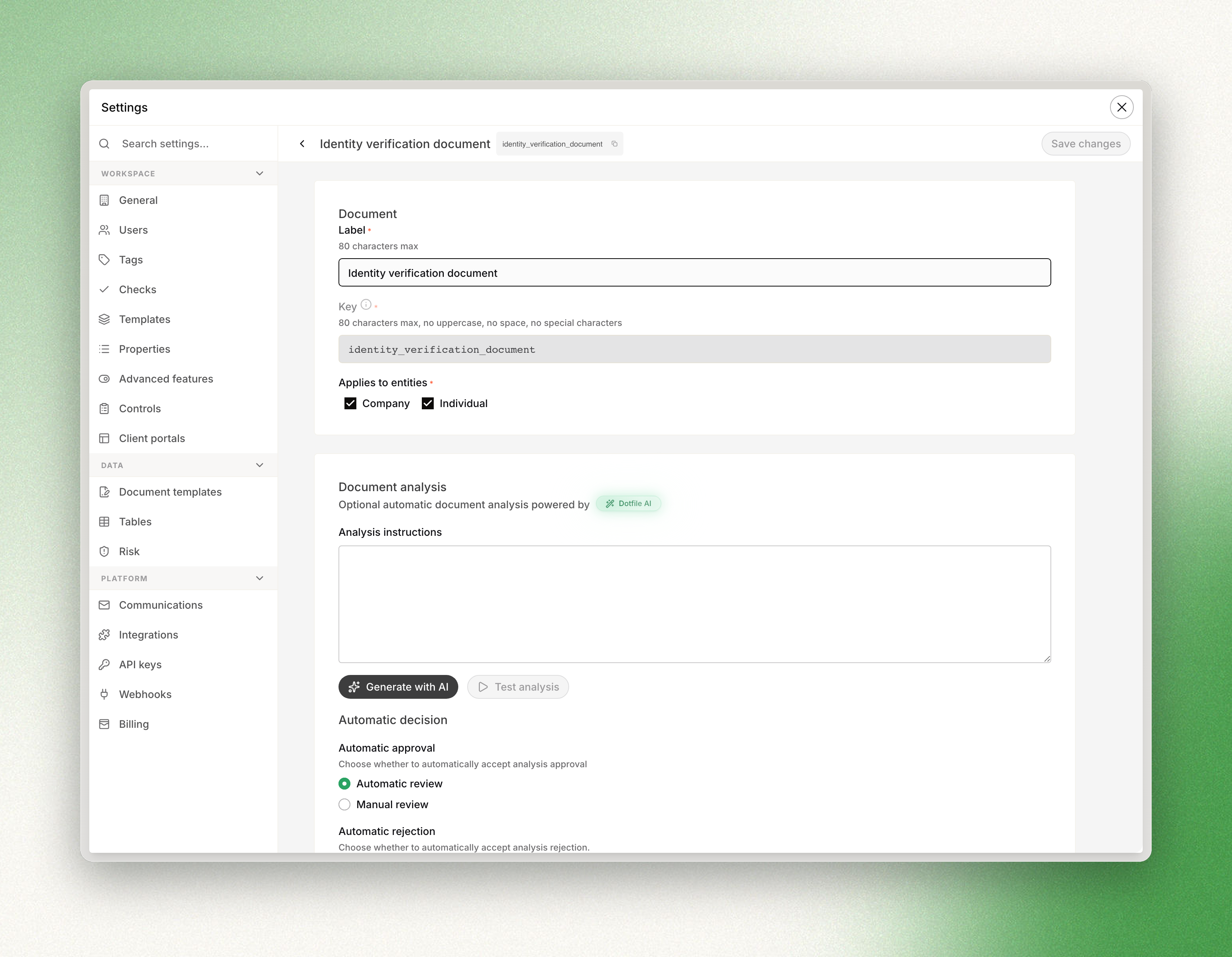
For custom document types:
- Go to Settings > Checks > Documents.
- Select the document type.
- Enable document forensics.
Review the results
In the console, forensic results and indicators appear in the document analysis view, where analysts can see which aspects triggered risk or trust signals.
Updated 3 months ago