
Internal documents
Keep a document type visible to your team only, hidden from the counterparty
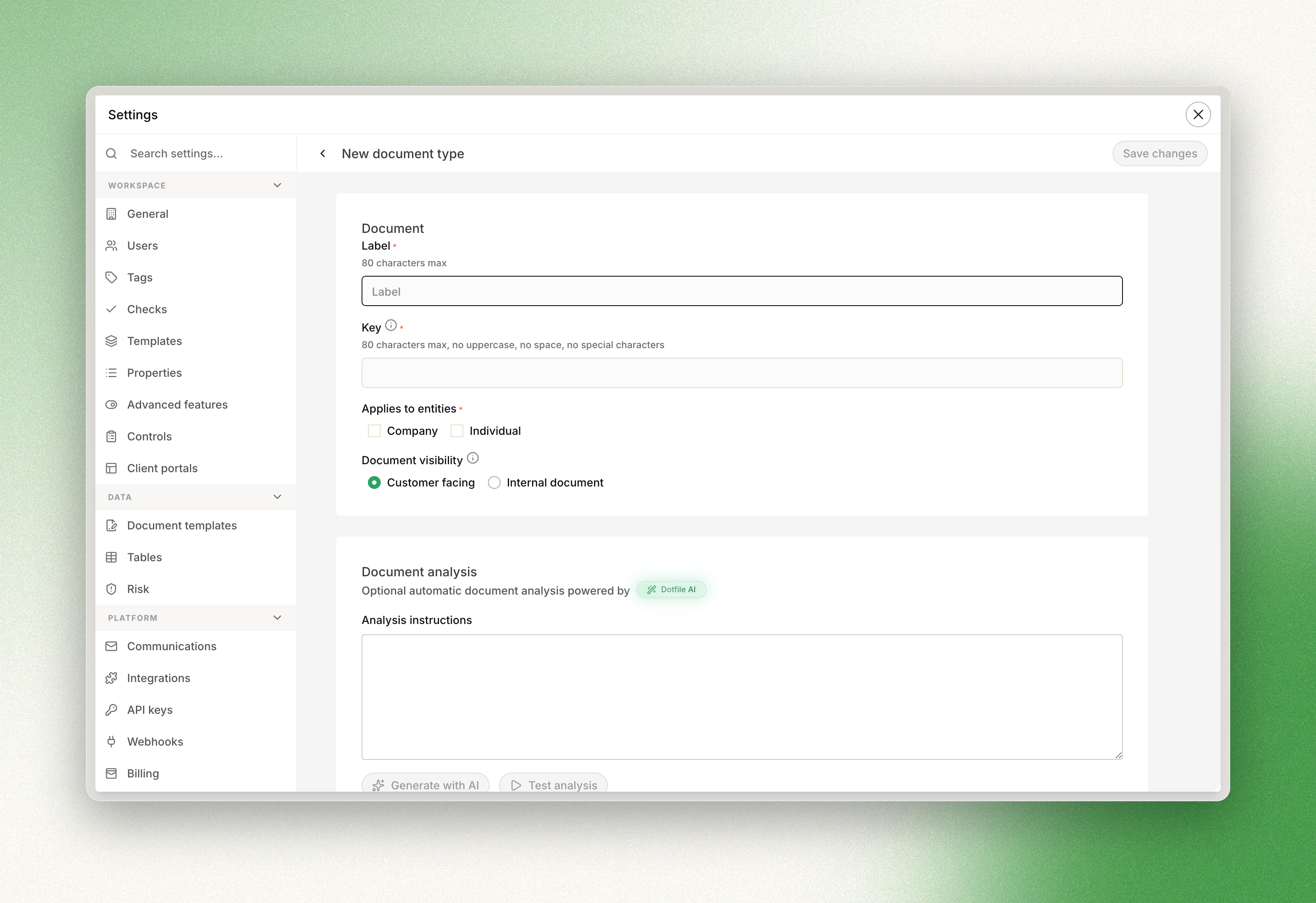
When you create a custom document type, you can choose whether it is visible to your counterparty or stays internal. Internal documents hold files tied to your own processes, requirements, or due diligence — anything you need to attach to the entity but do not want the counterparty to see on the onboarding link.
Go to Settings, then Checks, open Document and click Create new document type.
Updated 3 months ago
Did this page help you?