
Custom domain configuration
Serve your Client Portal from your own domain
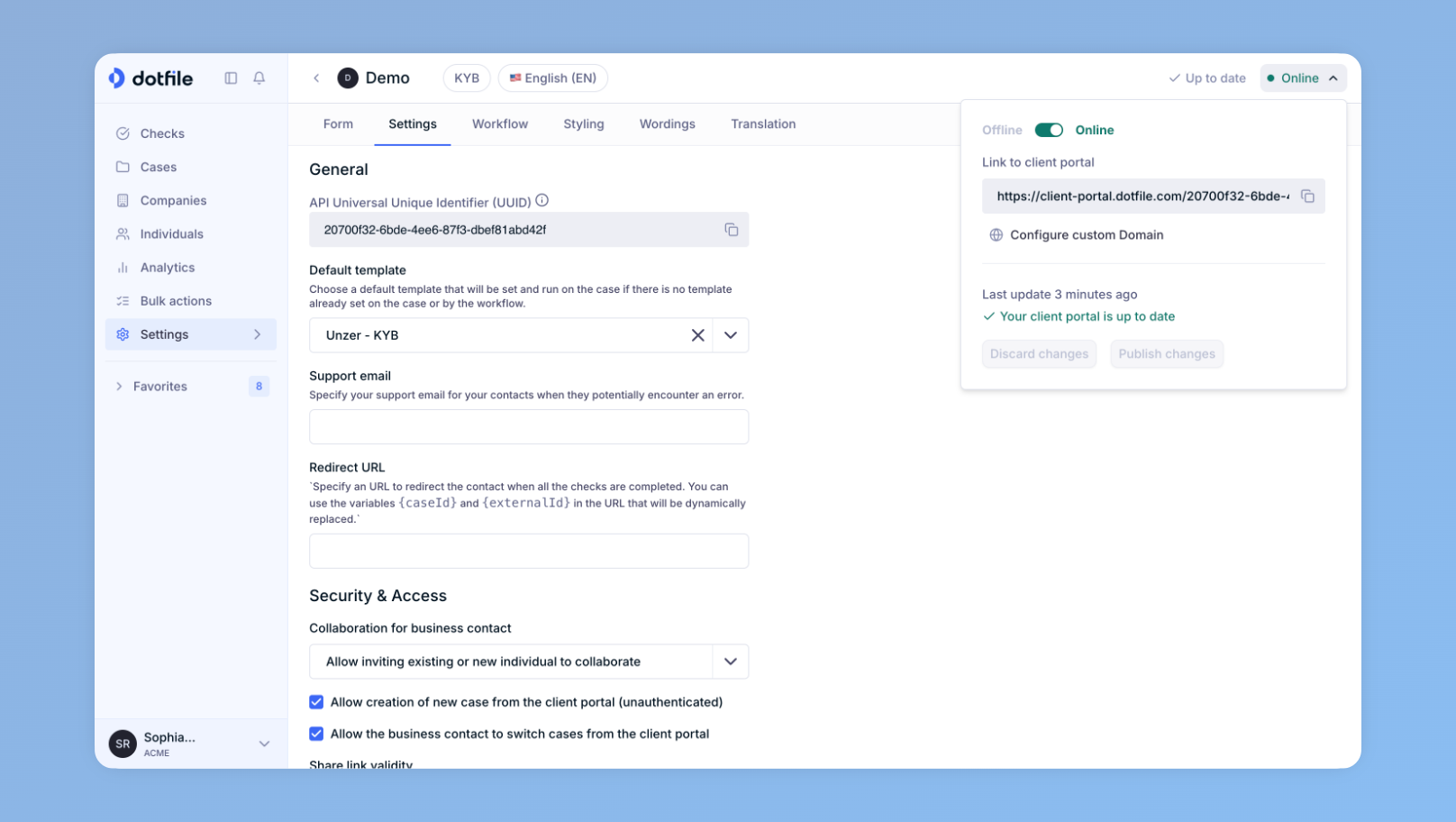
The Client Portal URL can be served from a custom domain. To set one up, open your Client Portal and switch it online. A custom domain configuration button then appears.
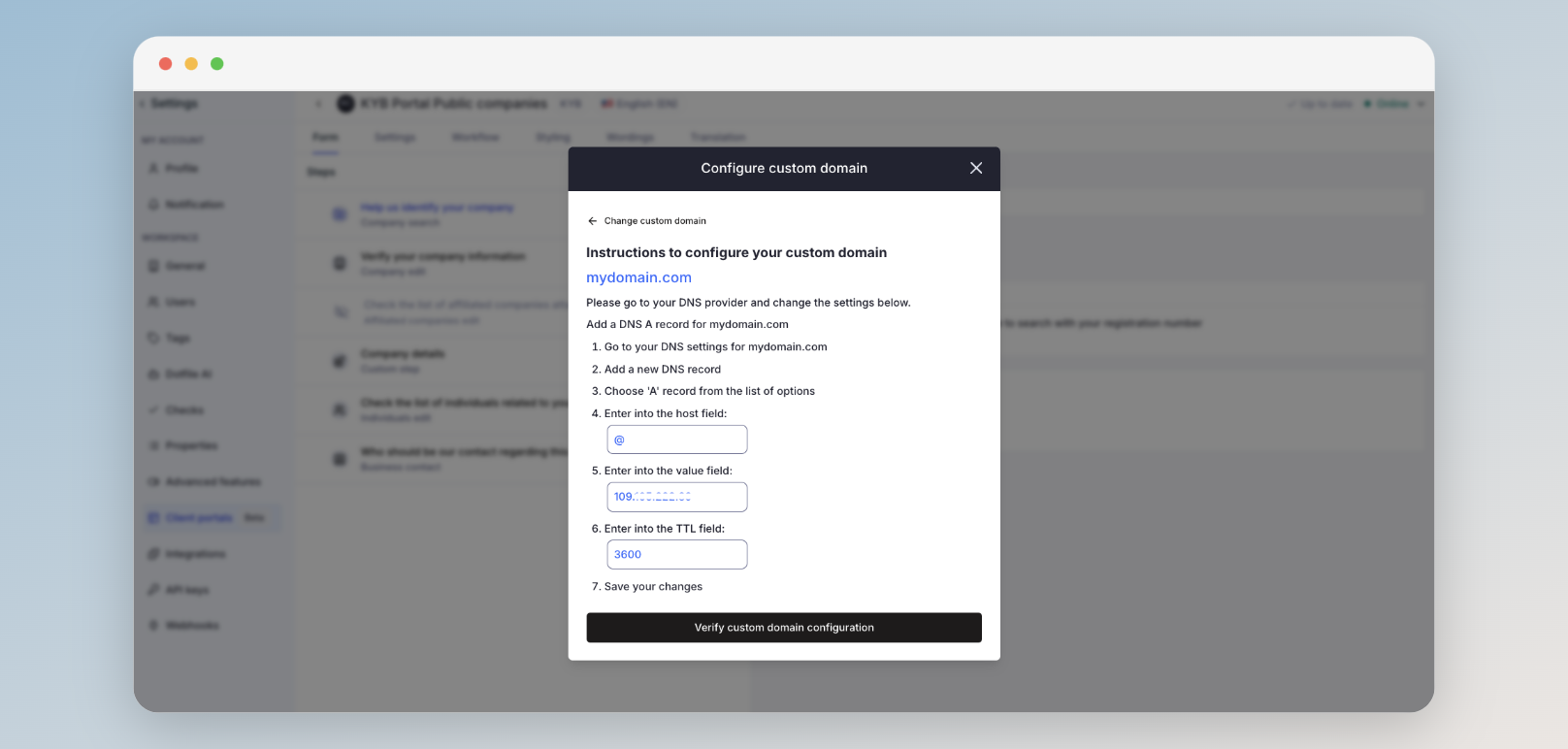
To configure the custom domain, log in to your DNS provider and follow the instructions shown.
Important note:
- The SSL certificate can take some time to be generated, and the DNS some time to propagate fully.
- Your Client Portal custom domain can be a top-level domain, but it must be a dedicated one (for example,
dedicated-domain.com).- Otherwise, it must be a subdomain of your existing top-level domain (for example,
onboarding.mydomain.com).
Updated 3 months ago
Did this page help you?