
Automated document purchase
Order registration certificates, accounts and UBO extracts automatically as part of a check
Introduction
Auto Purchase allows you to automatically order official company documents such as registration certificates, financial accounts, articles of association, and UBO registry extracts from external providers as part of your compliance workflow.
This option is available as part of Template configuration.
How it works
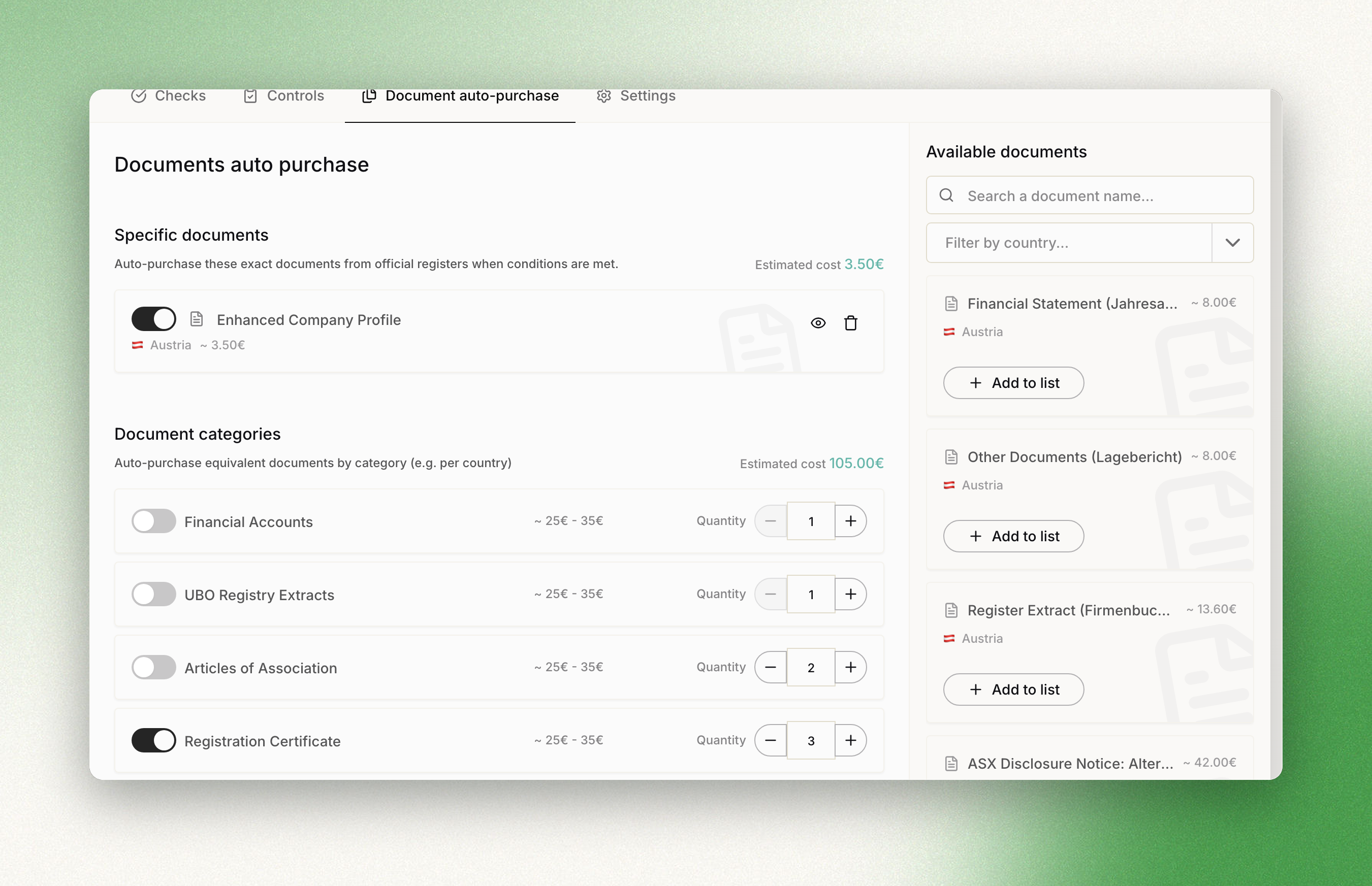
When a case is created using a Template with auto-purchase configured, Dotfile automatically orders the specified documents. Documents are purchased in real time and attached to the case once delivered.
-
Template-based configuration: You configure which documents should be auto-purchased at the Template level. Each template can have its own set of auto-purchase rules, allowing you to tailor document requirements per workflow.
-
Document library: Dotfile maintains a catalog of available documents across supported vendors and countries. You can browse this library when configuring auto-purchase, filter by country, and search by document name.
-
Two configuration modes: You can add specific documents from the library or configure entire document categories (e.g. "Registration Certificate").
-
Automatic vendor matching: Dotfile automatically selects the right vendor and document based on the company's jurisdiction. If a vendor offers multiple document types for a country, you choose which ones to include.
Adding specific documents
The configuration panel has two areas: on the left, your current auto-purchase list; on the right, a browsable document library.
To add a document:
-
Open your template and navigate to the "Documents auto purchase" tab
-
Use the side panel to browse the available documents, filtering by country or searching by name
-
Click "Add to list" on any document to add it to your auto-purchase configuration
-
Each document shows its vendor, country, and estimated cost
-
Use the toggle to enable or disable individual documents without removing them
Configuring document categories
In addition to specific documents, you can configure entire document categories. This is useful when you want Dotfile to automatically purchase a type of document (e.g. a registration certificate) regardless of the specific vendor or document name — Dotfile will match the right document based on the company's country.
Available categories:
| Category | Description |
| Registration Certificate | Official company registration documents (e.g. Kbis in France, Certificate of Incorporation in the UK). |
| Financial Accounts | Annual accounts and financial statements filed with official registries. |
| Articles of Association | The company's founding statutes and governance documents. |
| UBO Registry Extracts | Extracts from beneficial ownership registries where available. |
For each category, you can set:
-
Enabled/Disabled toggle: Turn the category on or off
-
Max quantity: How many documents of this category to buy per entity, minimum 1. Dotfile takes the most recent ones available
Document purchase results
When documents are auto-purchased, each order goes through the following statuses:
| Status | Description |
| Processing | The document has been ordered from the vendor and is being retrieved. Most documents are delivered in seconds. |
| Completed | The document has been successfully purchased and is attached to the case. It is ready for review. |
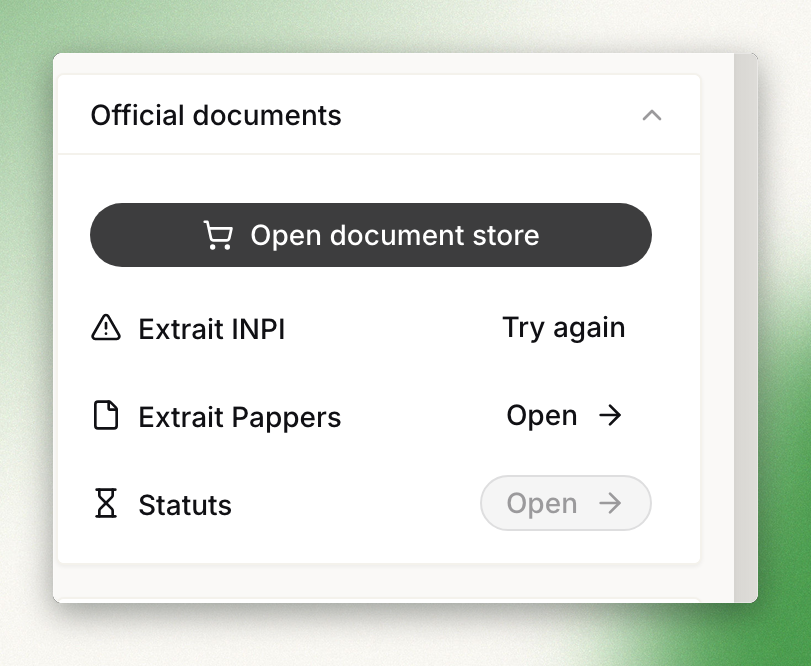
| Failed | The document could not be retrieved from the vendor. The system will fall back to requesting a manual upload from the customer. |
Vendors and coverage
Dotfile integrates with multiple document vendors to provide broad coverage across jurisdictions.
Pappers
Pappers provides official company documents for France, including registration certificates (Kbis), articles of association, and financial accounts. Documents are available instantly at low cost.
Companies House
Companies House provides official company documents for the United Kingdom, including certificates of incorporation, annual accounts, and confirmation statements.
Kyckr
Kyckr provides company documents across 40+ countries including Austria, Belgium, Denmark, Spain, and many more. Kyckr offers the broadest international coverage, with document types and pricing varying by country.
Topograph
Topograph gives access to official business registry information across 25+ countries, mostly in Europe, and can order documents there. It provides company documents in Austria, Belgium, Denmark, Germany, Finland, Norway, Sweden, Spain, the UK, and many more. Document types and pricing vary by country.
Info Camere
Info Camere provides official company documents for Italy, including registration certificates and financial statements. Pricing may vary based on the company's legal form.
Transparenzregister
Transparenzregister provides beneficial ownership registry extracts for Germany.
Pricing overview
Document costs vary by vendor and document type. Below is a summary of typical price ranges:
| Vendor | Countries | Typical price range |
| Pappers | France | From 1.00 EUR |
| Companies House | United Kingdom | From 1.00 EUR |
| Kyckr | 40+ countries | 2.50–30.00 EUR |
| Topograph | 25+ countries | 1.00–24.00 EUR |
| Info Camere | Italy | 2.50–5.50 EUR |
| Transparenzregister | Germany | 1.65–2.50 EUR |
Exact costs per document are displayed in the configuration interface when setting up auto-purchase rules.
Updated about 2 months ago