
What controls are
Structured approval requirements that must be met before a case can be approved
What are controls?
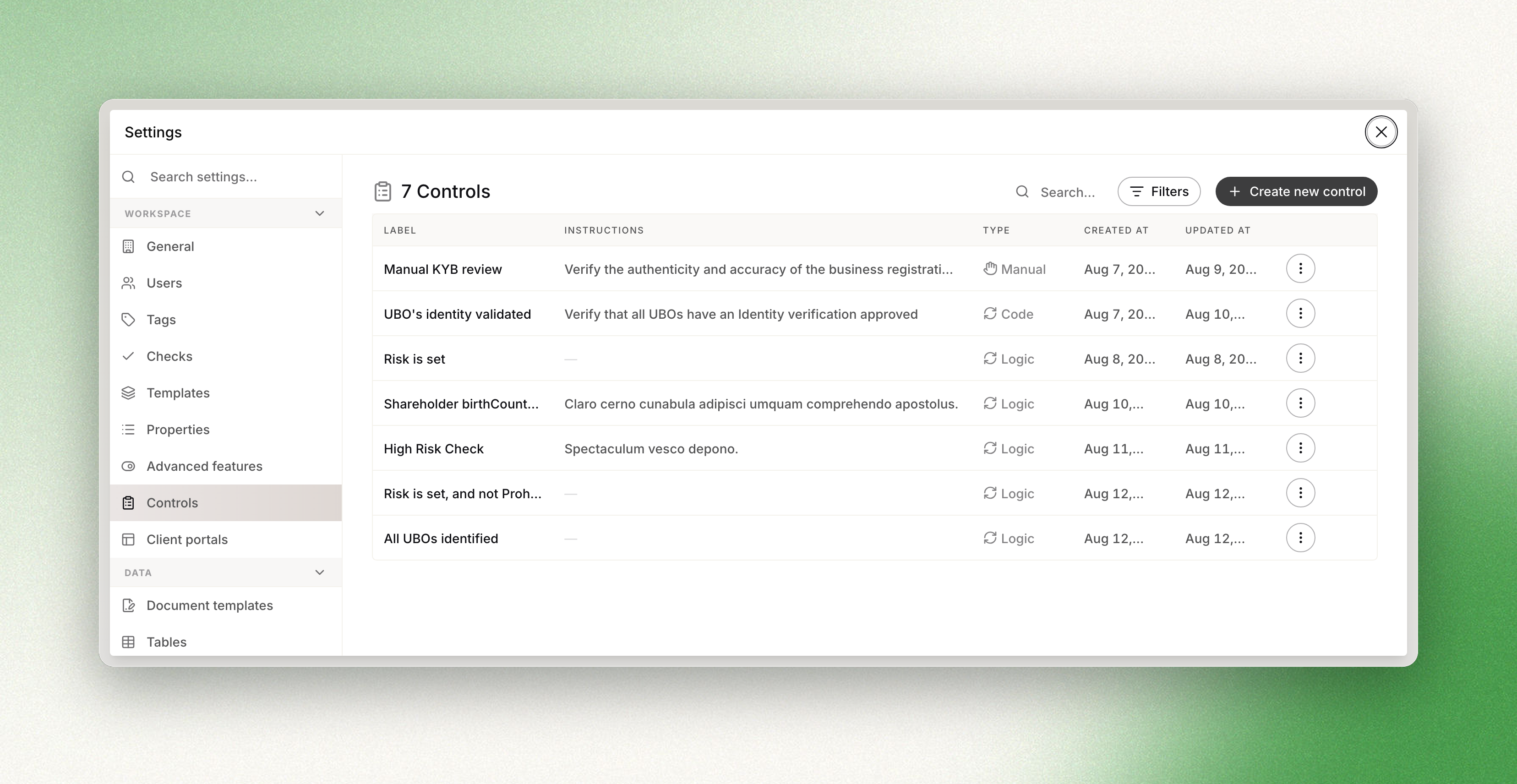
Controls are structured approval requirements that must be completed before a case can be approved in Dotfile. They turn "we always check this before approving" into something the product enforces, instead of something a human remembers.
Types of controls
-
Manual controls are marked complete by an analyst, with an optional comment. They can be overridden, and the override is logged.
-
Automated controls complete themselves, from logic or from code, by evaluating the case data as it changes — risk is set, all UBOs identified. By default they cannot be overridden.
Visibility & reporting
- Audit logs show all control updates and comments for full traceability.
- Filter cases (coming soon) by control state to focus on cases needing attention.
- Dashboard indicators (coming soon) will summarize control completion across your cases.
Getting started
- Go to Settings → Controls to define new controls.
- Edit your case templates to assign required controls.
- Review cases: controls will appear in the approval step, blocking approval until completed.
For more detail, see our Approval Flow documentation.
Need help? Contact support or your Customer Success Manager, who can walk through your first control with you.
Updated 3 months ago