
UBO discovery with Unravelling
Uncover and visualize a company's full ownership structure automatically
Unravelling uncovers and visualizes the full ownership structure of a company. It uses AI extraction to trace corporate chains, from the main company through intermediate holding entities down to the ultimate beneficial owners.
Use it when you need the full chain of ownership and control behind a company, including cross-border structures, nested subsidiaries, and indirect beneficial ownership.
How it works
When you create a case with a main company, Dotfile starts a first ownership unravelling using any company data already purchased. It fetches registry data, uses AI to extract ownership structures, and builds an interactive graph showing all parties and their relationships.
The system recursively traces ownership chains. When a shareholder is itself a company, Dotfile can fetch that company's registry data and unravel its structure too, building a full chain from the target company down to individuals.
Building the first graph doesn't cost you anything beyond the profile purchased when the company was created. You pay extra only when you unravel a company shareholder in the graph to uncover an additional ownership layer. To do that, click the + button on a party node.
Reading the ownership graph
The ownership graph offers several display options:
- Ownership view: shows ownership relationships and percentages between parties.
- Control view: shows control relationships (voting rights, board positions) between parties.
- Relation type filters: show all relations, ownership only, or control only.
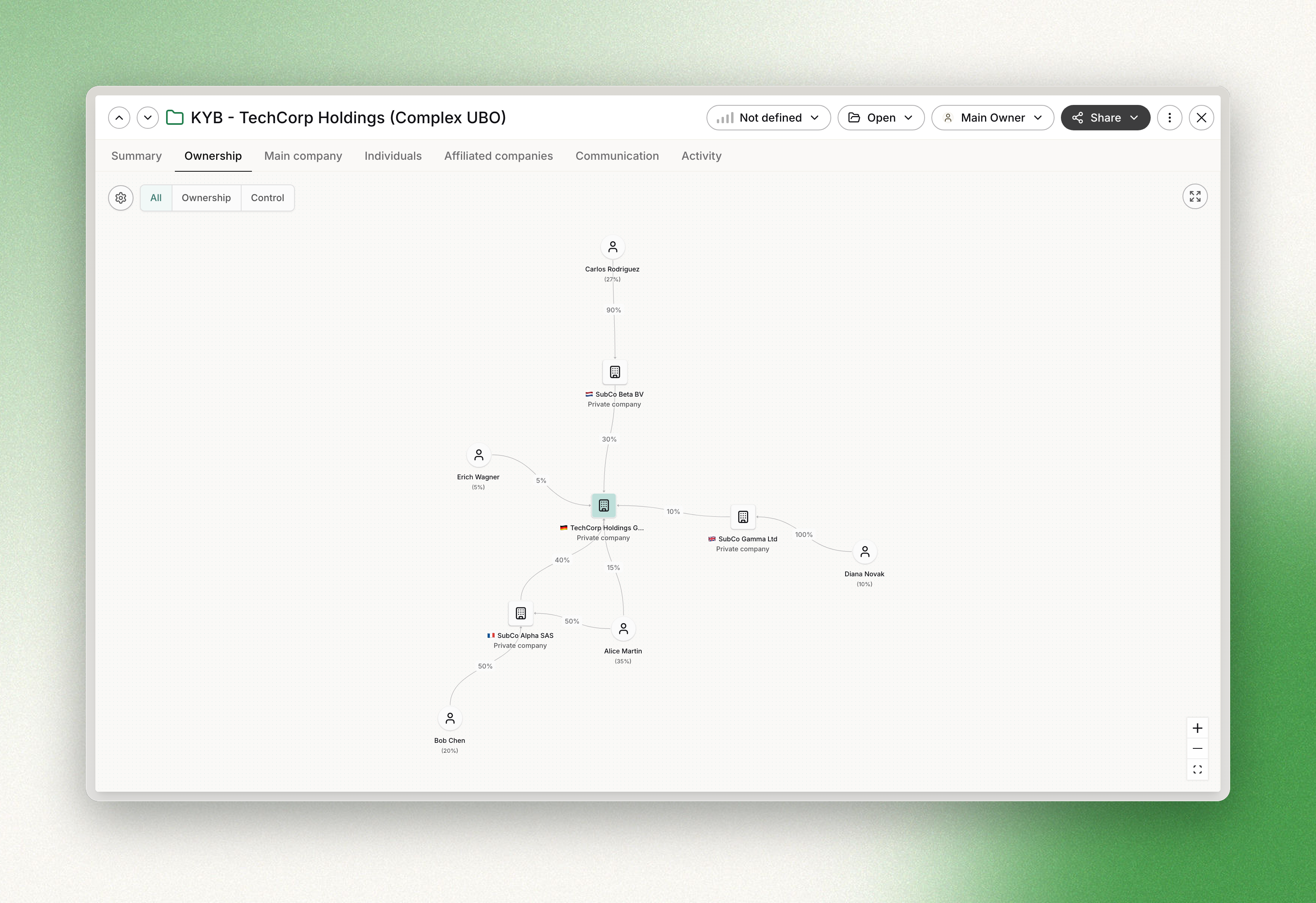
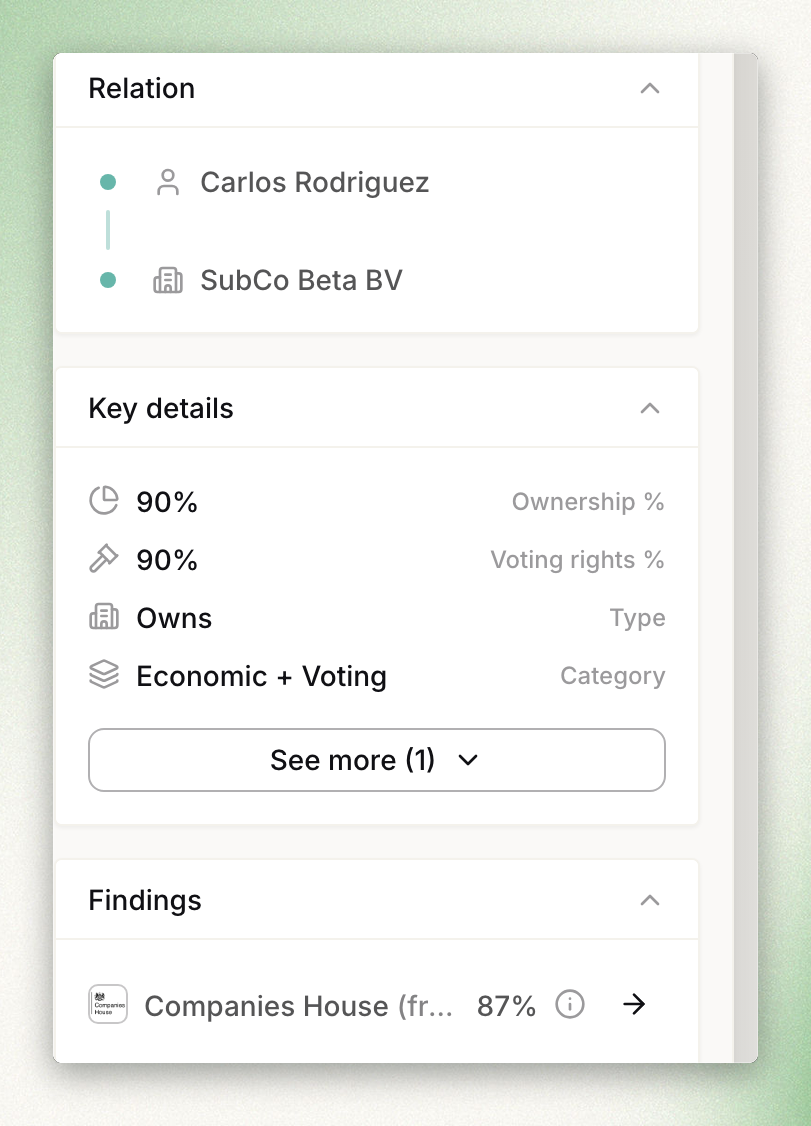
Clicking on a party or relation in the graph opens a side panel with detailed information organized in collapsible sections. The Findings section shows the raw data points extracted by the AI from each source.
If the party has been matched to a case entity, a link to the individual or company profile is shown. You can also create a new case entity directly from this panel. Once it is added to the case, you can run checks on it.
Sources
By default, Unravelling uses the company registry vendors selected for the geography of the company being unravelled. You can change this in the Advanced settings section.
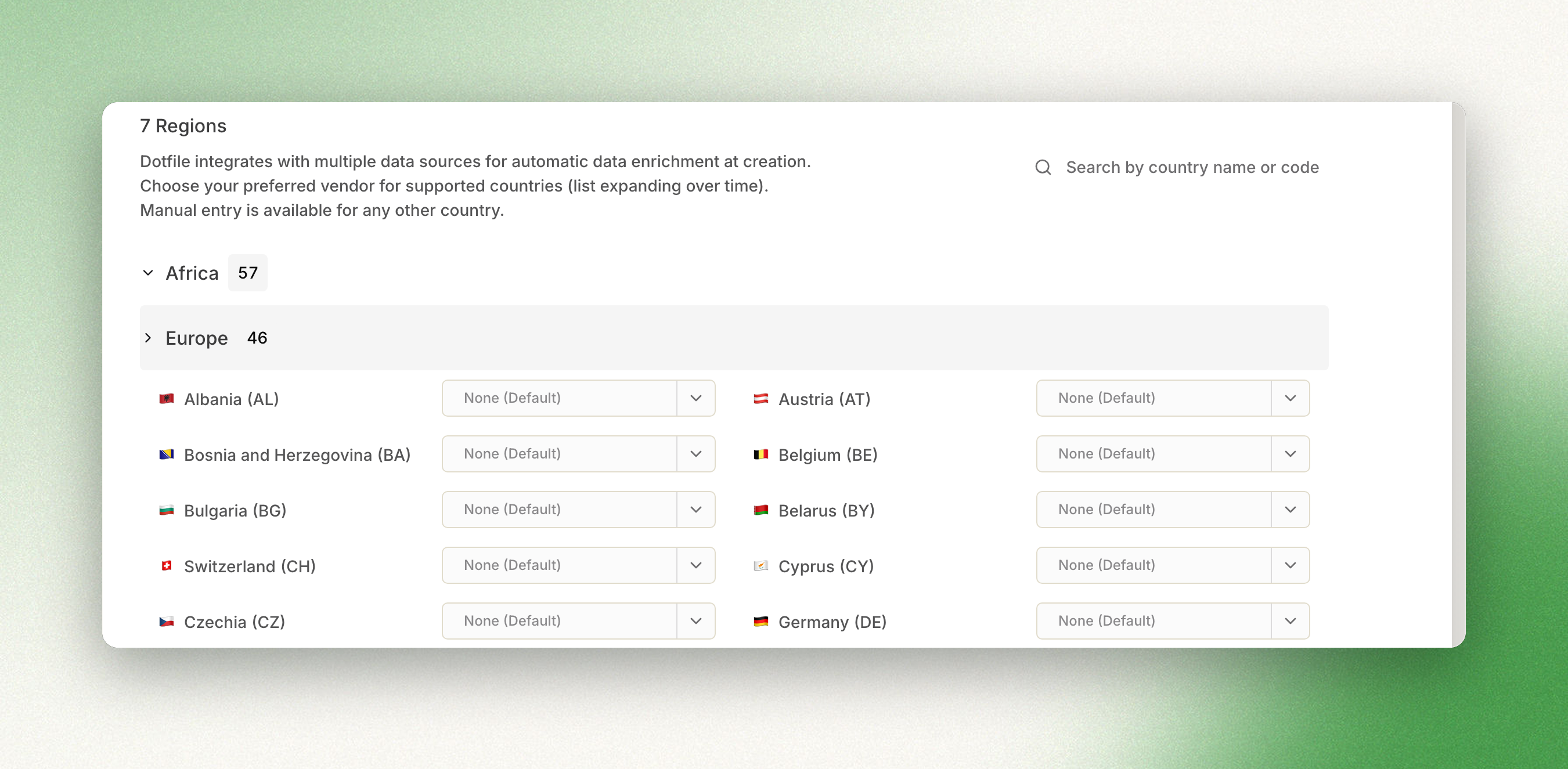
If you purchase company profiles from other vendors, or add documents, those sources are incorporated into the graph too, combining findings from several sources to paint the most accurate picture of the company's ownership structure.
Unravelling works with data from multiple company registry vendors: Companies House, Pappers, INPI, Creditsafe, Kompany, Kyckr, Info Camere, Topograph, InfoCamere, TransparenzRegister and more.
Updated about 1 month ago