
Seat management
See how many seats are in use, buy more, or release the ones you no longer need
A seat is what lets someone log in to your workspace. Seat management shows how many you have, how many are taken, and lets owners and admins buy more or give back the ones you stopped using.
You'll find it in Settings → Members. Every member can see the seat overview; purchasing and releasing seats is reserved for owners and admins.
How it works
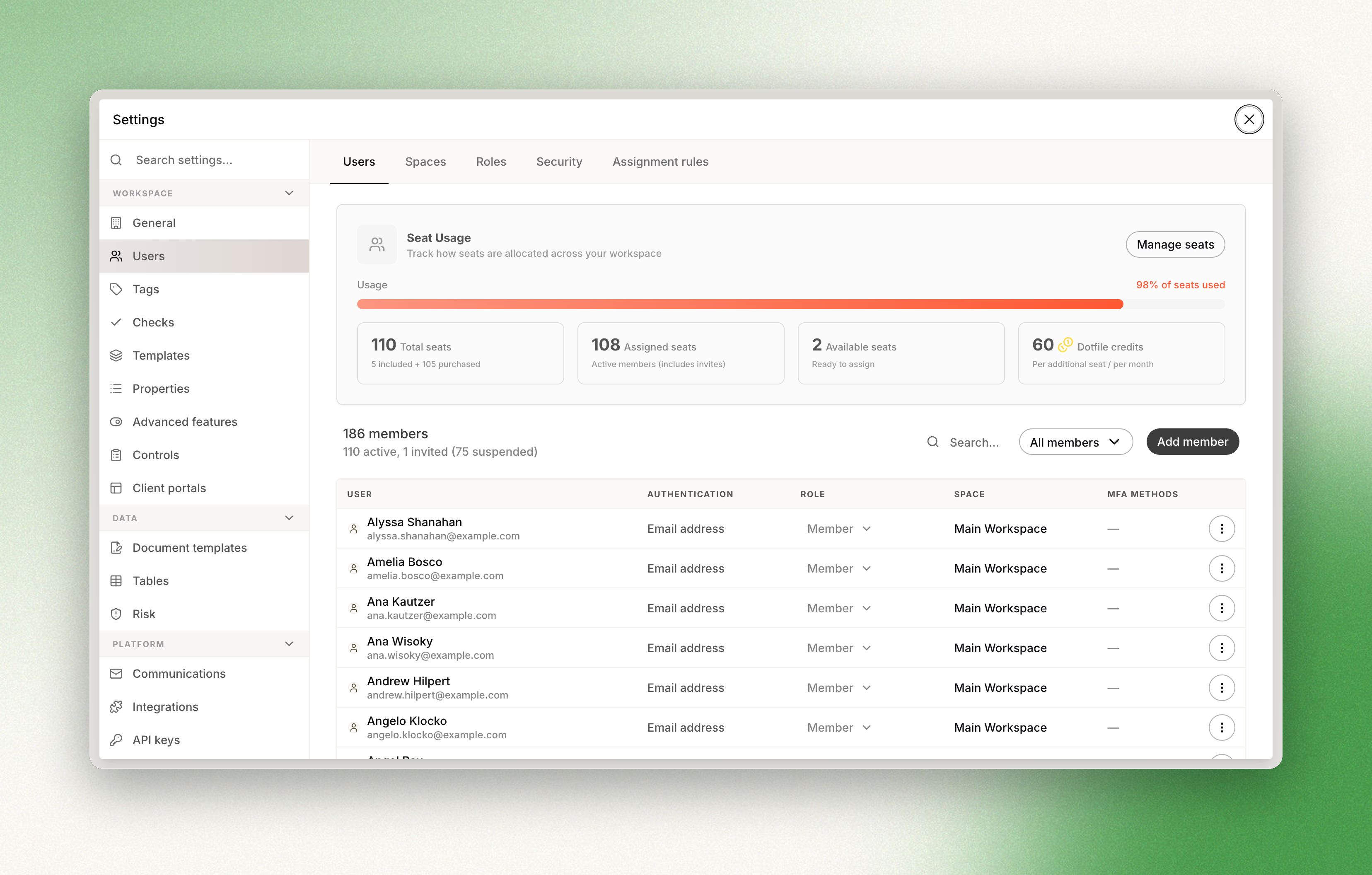
The Seat Usage panel at the top of the Members page shows your total, assigned, and available seats, the price per additional seat, and a progress bar that tracks how much of your capacity is in use.
Included seats: The seats included in your order form with the Dotfile team. These are part of your contract and cannot be released.
Purchased seats: Additional seats you buy for a price specified in your order form when you need more capacity. These can be released later when you no longer need them.
Total seats: The sum of your included and purchased seats.
Assigned seats: The seats currently in use, counting both active members and pending invitations that haven't been accepted yet.
Available seats: The seats you still have free to assign (total minus assigned). When this reaches zero, you can't invite new members until you free up or purchase more.
Purchasing and releasing seats
When you need more capacity, you can add seats in a few seconds.
-
Click Manage seats at the top right of the Seat Usage panel.
-
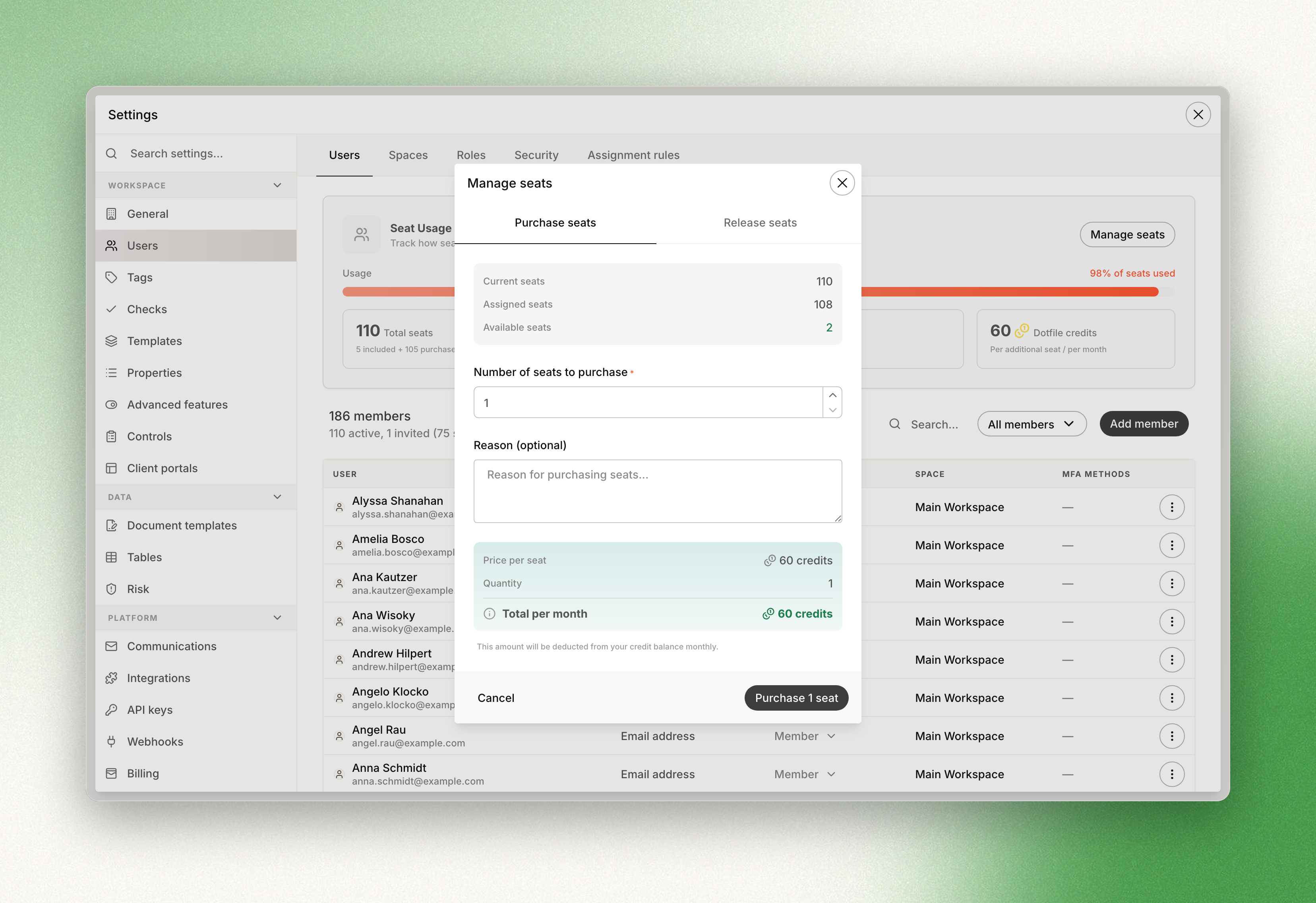
On the Purchase seats tab, enter the number of seats you want to add.
-
Confirm.
The new seats are added to your workspace total immediately and are ready to assign to new members. The price per seat is the one set in your order form, and it is shown in the panel.
If you previously purchased additional seats and no longer need them, you can choose to release them. Only seats purchased through Seat Management can be released.
-
Click Manage seats, then open the Release seats tab.
-
Enter the number of seats you want to release.
-
Confirm.
You can't release more seats than you've purchased. Seats that are in use cannot be released: if you ask for more than you have free, Dotfile asks you to cancel pending invites or remove members first.
Billing
Additional seats are billed in Dotfile Credits. One Dotfile Credit equals 1€/£/$ depending on your billing currency. They are billed at the price per seat set in your contract and shown on the Seat Usage panel. Purchases and releases are reflected on your next monthly invoice. Releasing seats doesn't trigger an immediate refund; the adjustment is applied the following month.
Dotfile Credits are spent from the same balance your checks are paid from. Every Dotfile plan comes with credits included and can be topped up by purchasing credit packages.
Permissions
Everyone on the team can see the seat overview. Only owners and admins can change capacity.
Updated 2 months ago