
Dotfile MCP, the new case view and secure share links
Product update • Oct 6th, 2026
Dotfile MCP: Dotfile in your AI tools
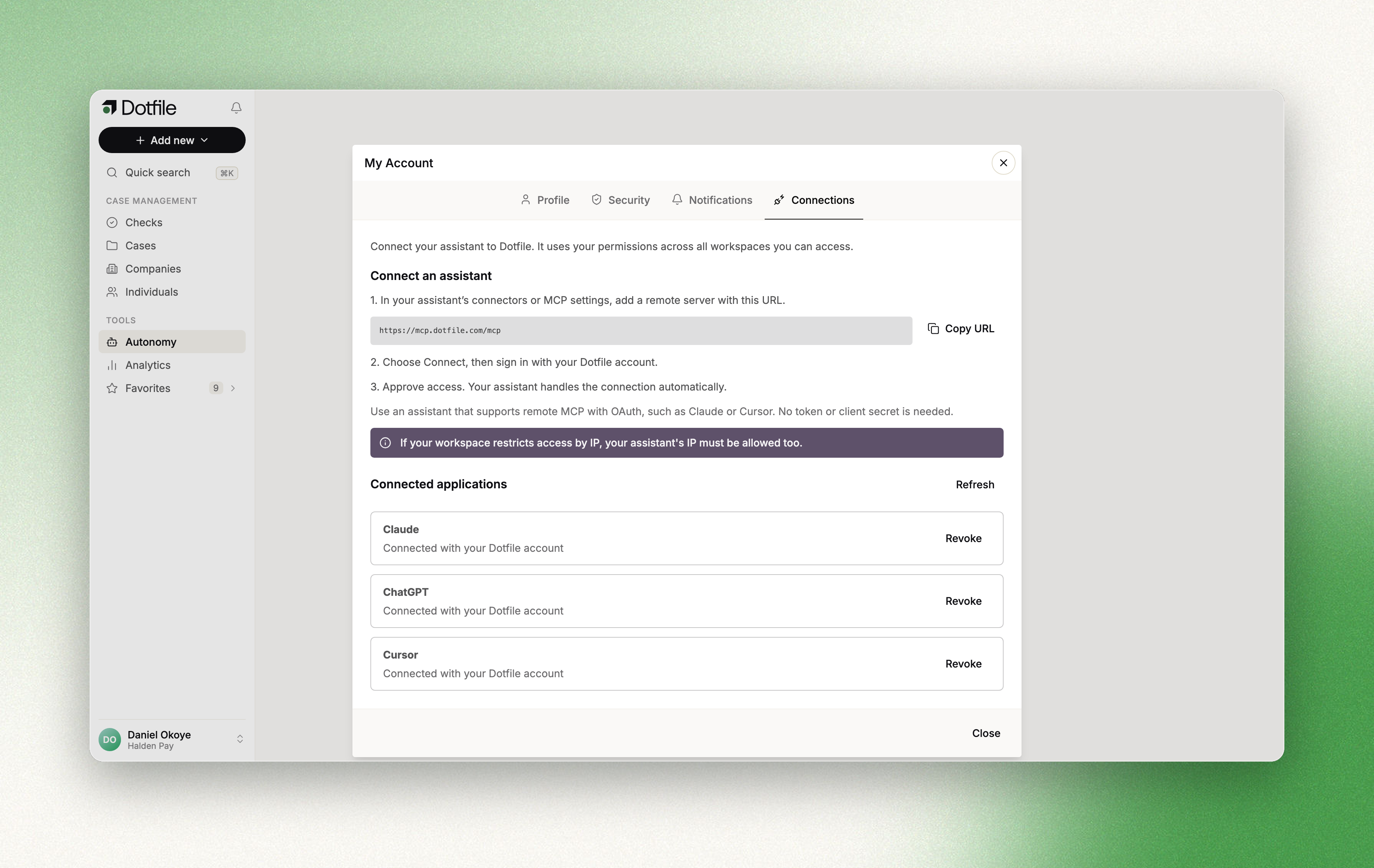
You can now use Dotfile from Claude, ChatGPT, Cursor, Claude Code or any AI tool that supports remote MCP servers. Ask about your cases, checks and portfolio in plain language, run AI reviews across the AML checks waiting for review, or open a KYB case from a company name and send the Client Portal link, without leaving the conversation. The AI tool acts as you, with your role and permissions, and MFA, SSO and IP rules are checked on every call. Connect it from Account Settings, in the Connections tab. Read more here.
The new case view
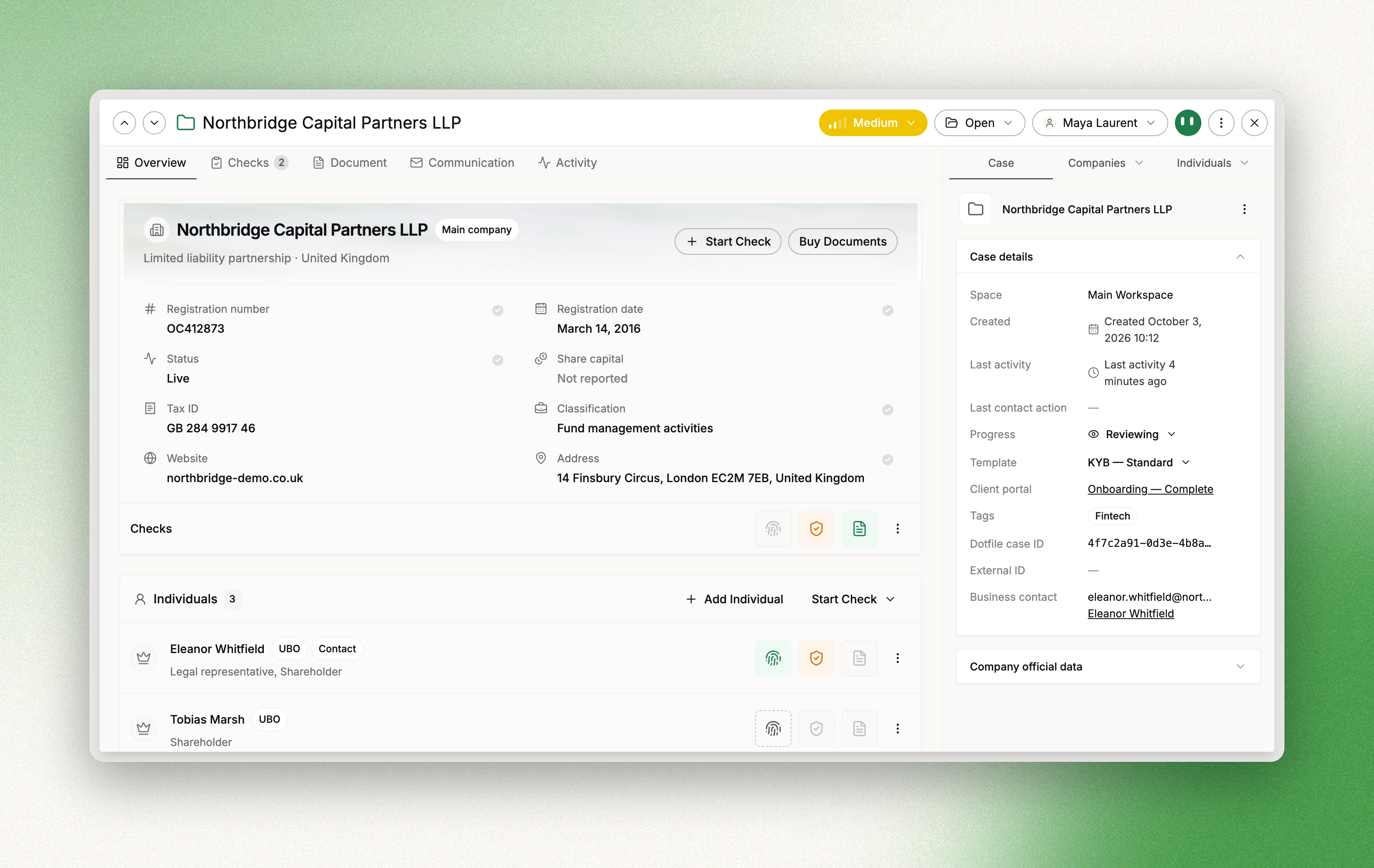
The new case experience puts everything you need to decide on a case on one screen. The Overview shows the main company, its individuals, affiliated companies, ownership, controls and notes, with an Identity, Screening and Documents status on every entity. The Checks tab gathers every check in one filterable list you can review in place and move through with the arrow keys, and the Document tab brings all provided and purchased documents together. The new case view is rolling out progressively. Read more here.
Secure share links for the Client Portal
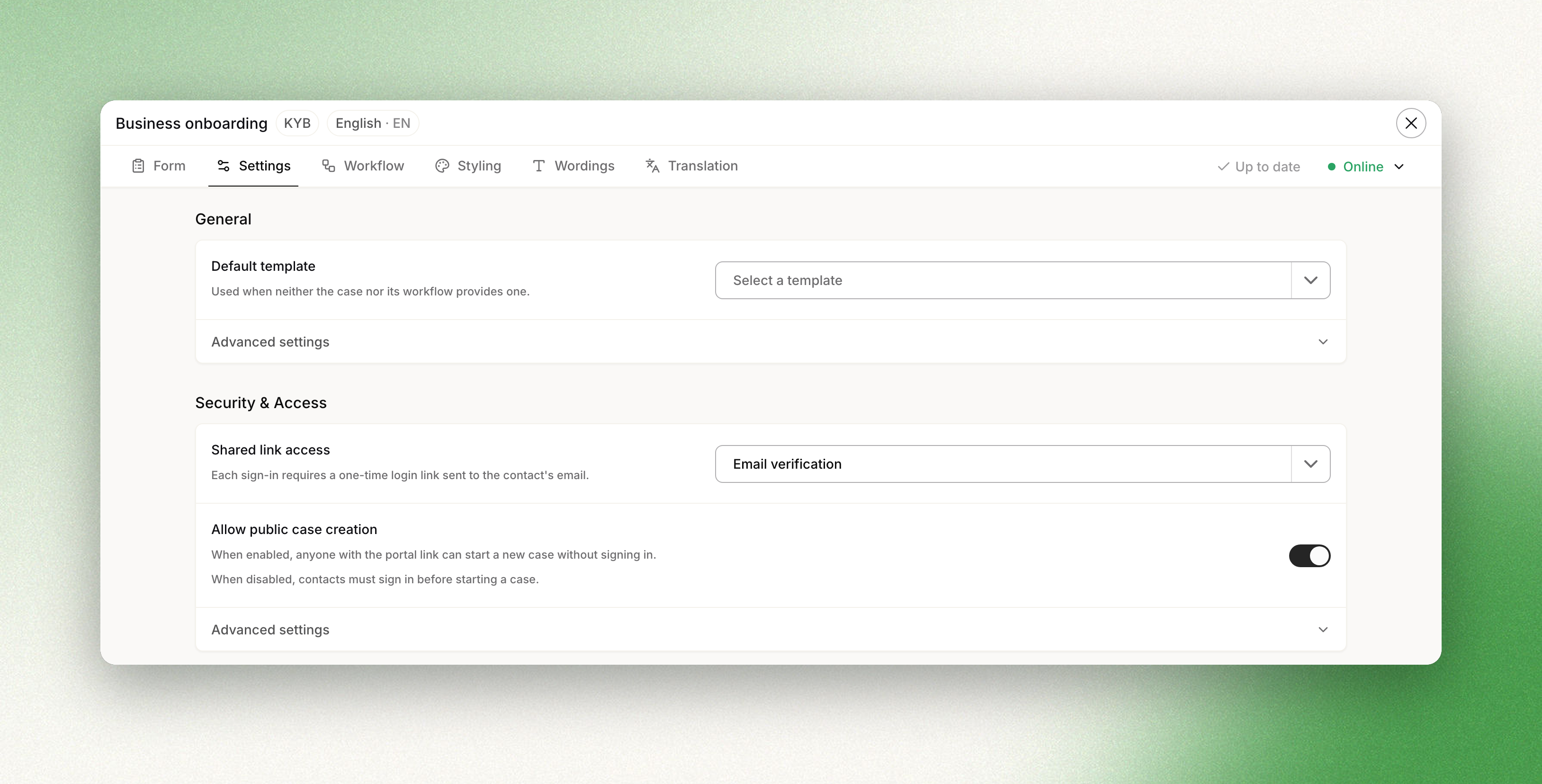
The links you share to a Client Portal are now unique to one contact and one portal, with stronger link security built in. When a link expires, your contact requests a fresh one by email in one click, without coming back to you. For sensitive onboardings, set Shared link access to Email verification in the portal settings: contacts then confirm their email address with a single-use login link, valid for 15 minutes, before they can open the portal. If a login link has expired or was already used, they get a new one from the same screen with Get a new login link. With Direct access, you choose how long a link stays valid, from 1 to 30 days or a custom duration. Read more here.
Updated about 1 hour ago