
Deep Search
Buy company data from several providers at once and keep the best result
Introduction
Deep Search allows you to buy company data from several sources at once, instead of relying on a single provider.
How it works
Run Deep Search on a case's main company and it handles the whole data-purchase sequence for you, in one pass.
- More data means more UBOs: a single provider rarely reveals every owner. Deep Search adds the sources you don't already have, filling the gaps the first source left behind.
- Your ownership view updates on its own: every new piece of data feeds straight into the company's ownership graph, which refreshes automatically to surface the beneficial owners it finds.
- First level only, for now: Deep Search enriches the case's main company, not its affiliated companies.
What a Deep Search run does
| Step | What it orders |
|---|---|
| Secondary vendor profile | A company-data profile from the next-best vendor for the company's country, excluding your primary vendor and any source already fetched. |
| UBO registry extract | The most relevant available UBO registry extract (or equivalent), matched automatically. |
| Registration certificate | The most relevant available registration certificate (or equivalent), matched automatically. |
Running Deep Search
Manually, from a case
On a case's main company, open the Business Data panel and click Start Deep Search.

Automatically, on company creation
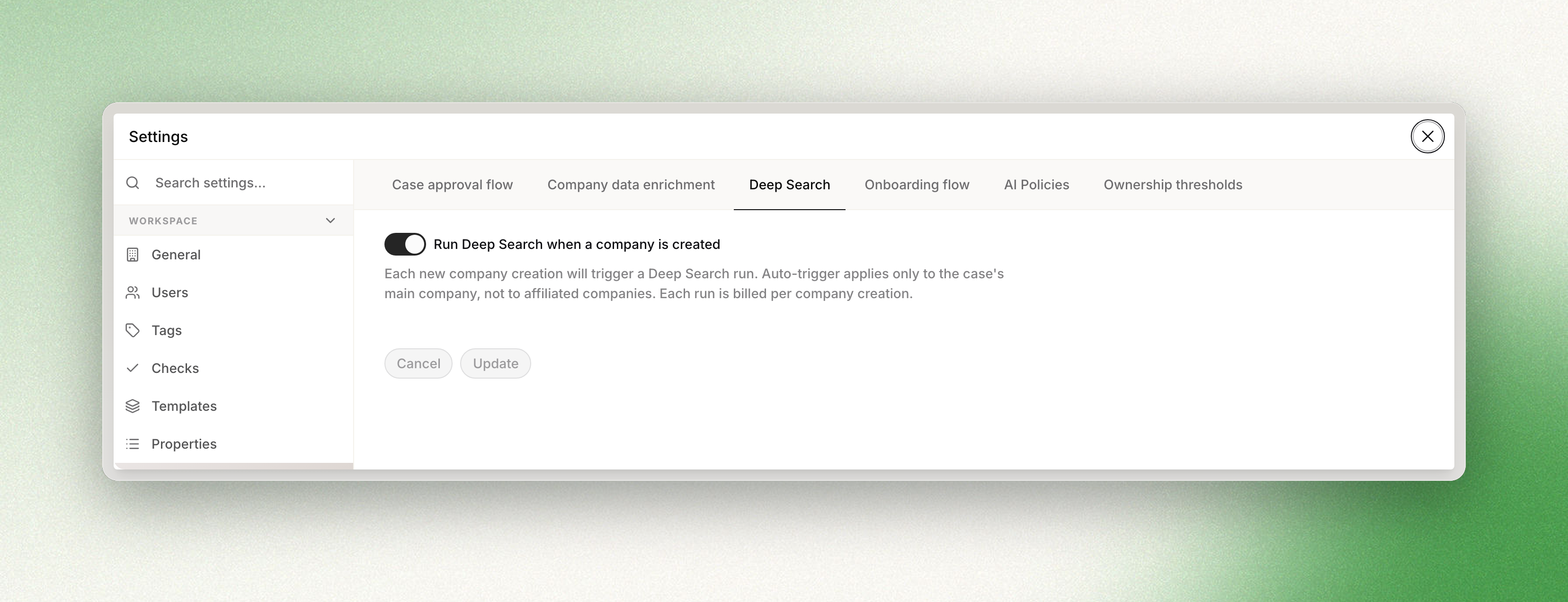
Turn on auto-trigger in Settings → Advanced features → Deep Search with the Run Deep Search when a company is created toggle. After that, a run fires automatically every time a main company is created in a case, whether in the console or via the API.
Billing
Each profile or document ordered is billed as normal vendor consumption. Auto-runs are billed per company creation. Failed attempts in the secondary-vendor cascade aren't billed; only the source that succeeds is charged.
Availability and permissions
Deep Search is available to all Dotfile workspaces, no activation needed. Anyone who can edit a company can run it manually; the auto-trigger setting is changed in workspace Settings by an admin.
If you create companies through the API, turn the auto-trigger on: it is the only way a run fires without someone opening the case.
Updated 2 months ago