
Four-eyes review
Require two or three different reviewers before a case is approved
Introduction
Four-eyes review lets you require two or three different people to approve a case. Rules decide which cases need it, for example only high-risk cases. Those cases stay Open until every required reviewer has approved, and each approval is recorded with who gave it and when.
How it works
By default, a case needs one approval. When a rule applies to it, it needs two or three, each from a different person.
- Reviewers: anyone who can change a case status can review a case.
- One person, one review: a reviewer who has approved a case cannot give the next review on it.
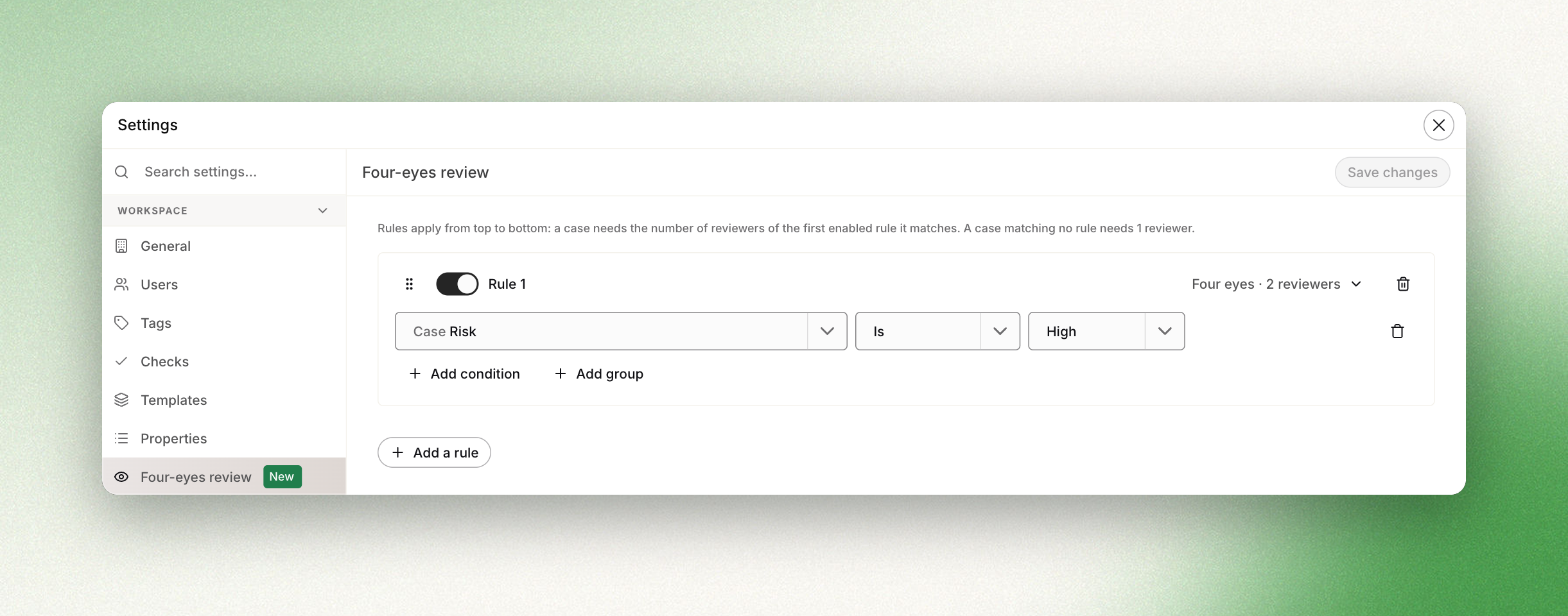
- Rules decide the requirement: each rule has conditions and a number of reviewers. Rules apply from top to bottom, and the first enabled rule a case matches decides.
- The case stays Open until the last required review.
- One rejection is enough: any reviewer can reject the case at any point.
Configuration
Go to Settings → Four-eyes review. You need to be an admin or the owner of the workspace.
Click Add a rule, then build its conditions with Add condition or Add group. Conditions can use the properties of the case (risk, tags, template, custom properties…), of its main company, or of its individuals. Then pick how many reviewers the rule requires:
| Option | Reviewers |
|---|---|
| Four eyes | 2 different reviewers |
| Six eyes | 3 different reviewers |
Reviewing a case
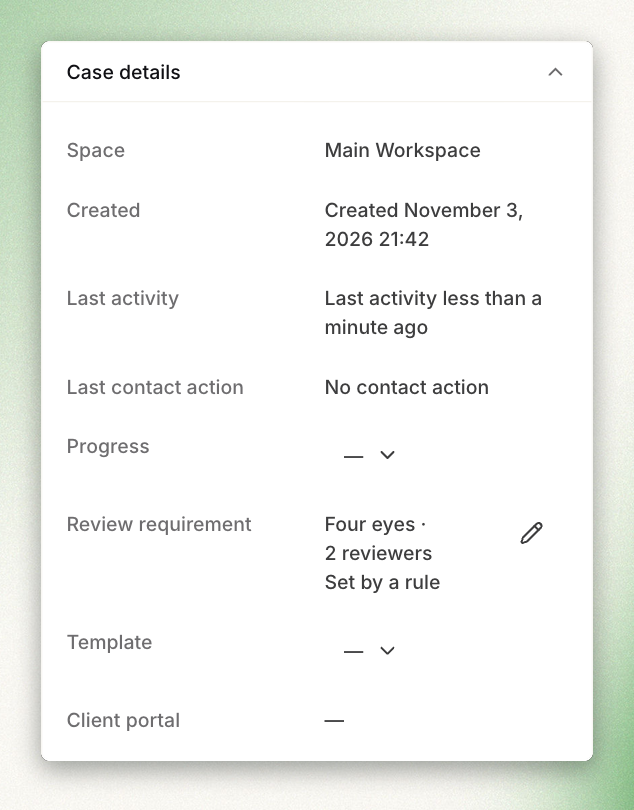
To find the cases waiting for a review, filter the case list on Review stage. You can also use review stage in your assignment rules, so the next review goes to someone who has not approved the case yet. The case details panel shows the Review requirement.
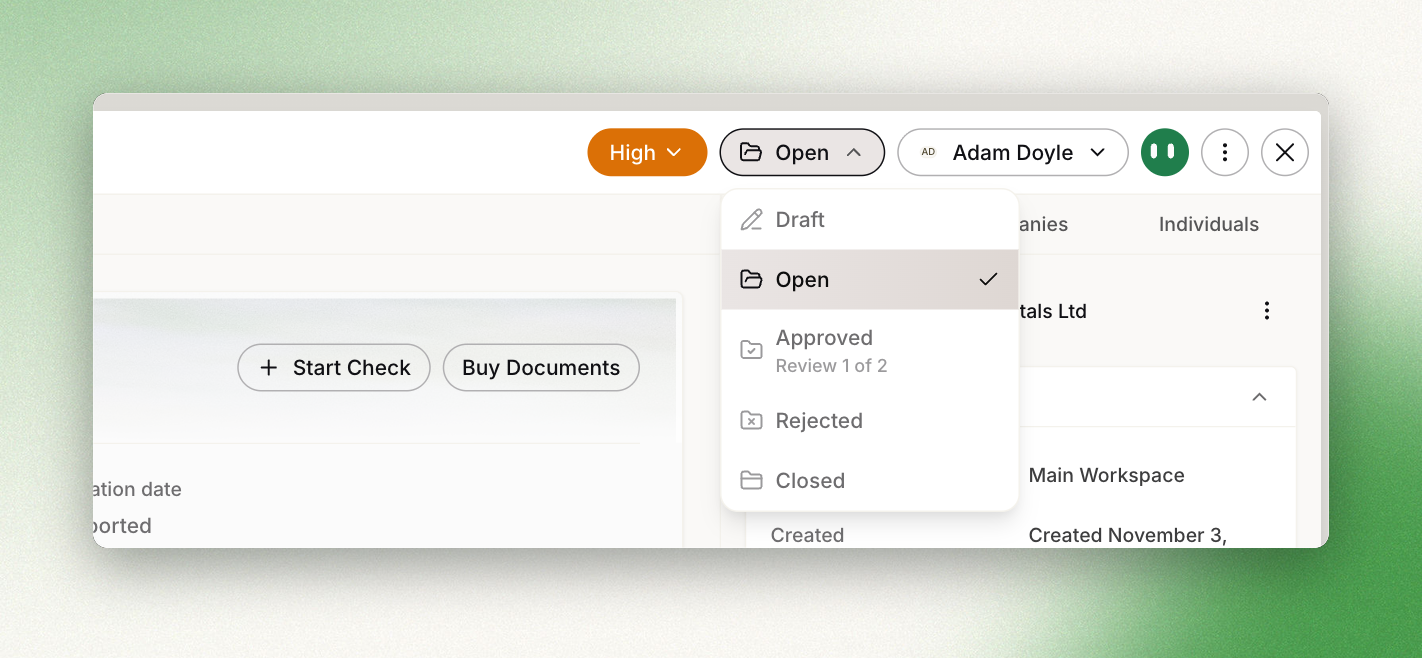
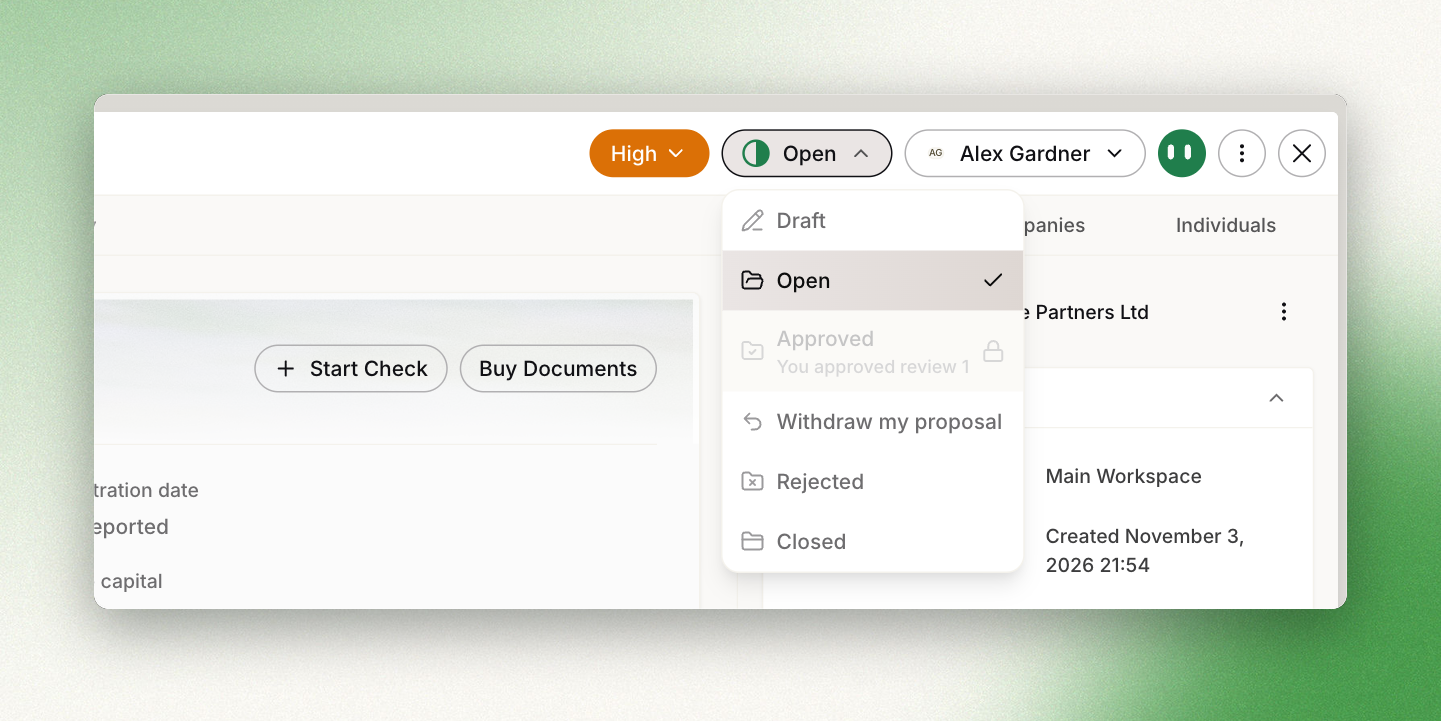
To approve, open the status menu. Under Approved, the menu shows which review you are about to give, for example Review 1 of 2.
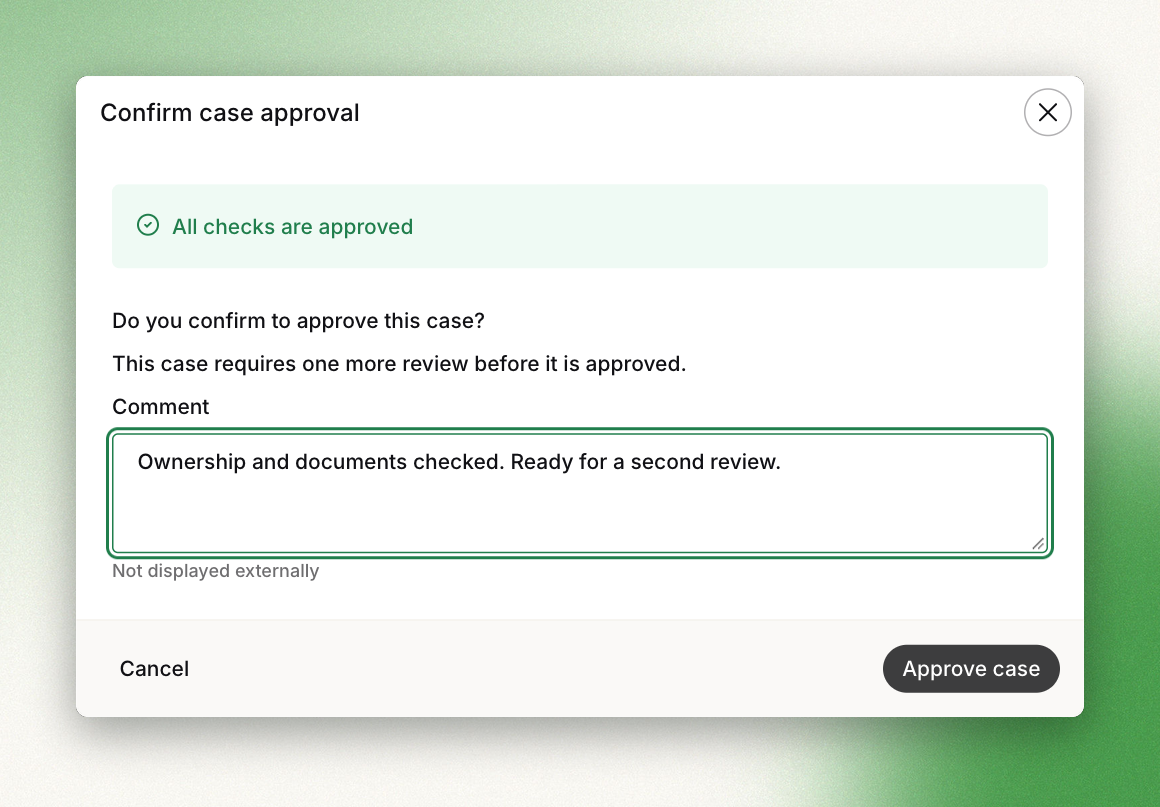
The approval window shows how many reviews are still needed. You can add a comment.
Once you have approved, the case stays Open and waits for the next reviewer. In your status menu, Approved is locked with You approved review 1. Withdraw my proposal removes your approval, and the case goes back to waiting for that review.
Results
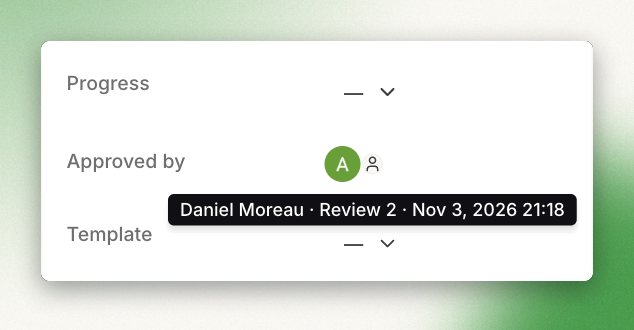
When the last required reviewer approves, the case moves to Approved. The case details panel then shows Approved by with one avatar per reviewer.
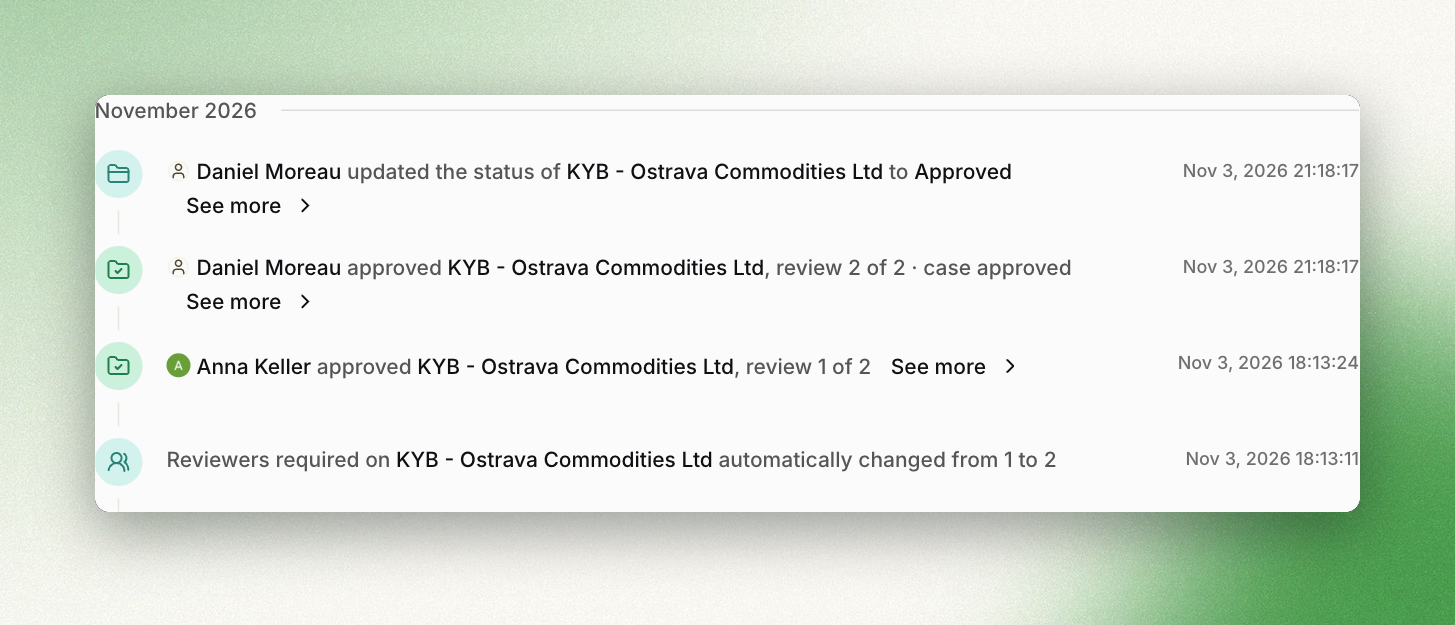
The case activity lists every approval, withdrawal and change of requirement. The case report includes an Approval chain section with each review, its reviewer, its date and its comment.
Changing the requirement on one case
From the Review requirement row, you can set a different requirement for a single case: one, two or three reviewers.
- Raising the requirement keeps the approvals already given.
- Lowering it to a number of reviewers the case has already reached approves the case straight away, after you confirm.
Good to know
- Reopening an approved case starts the reviews again from zero.
- A template auto-approval counts as one review. A person then gives the next one.
- Periodic reviews are not affected: one person confirms them.
- Rules are set for the whole workspace, not per space.
API
Cases returned by the API include a review_requirement object: the number of reviewers required, where that number comes from, and the approvals given so far.
An approval sent through the API (POST /cases/{id}/reviews with the approved status) decides the case directly, whatever review it is at. Existing integrations are not affected.
Updated 27 minutes ago